Gemini
Move a Gemini Gem and its knowledge files into a skill
Preserve an existing Gem, rebuild its instructions and reference files as a skill, and check the replacement against known answers.
The guide shelf
Numbered steps, prompts to copy and a result you can check. Start with the work you need to do.
New to this? Follow the five-step learning path. Or look up an AI term.
288 published guides288 articles. All free to read, with no sign-up.
Preserve an existing Gem, rebuild its instructions and reference files as a skill, and check the replacement against known answers.
Choose one supported app event, narrow the matching rule, and check a private report before relying on an event-triggered task.
Use one finished task's evidence to find a useful next exercise without inventing a leadership fluency score.
Use a fictional source to show how a document can contain instructions that the reader never authorised.
Reconcile a small trial's recorded usage costs and accepted outputs, keeping failed attempts in the total.
Turn team-level requests into a traceable support list that separates tool access, source preparation and checking needs.
Use AI to draft a one-page ownership note, leaving undecided responsibilities visible for the people who must agree them.
Turn a short process description into a handoff map that separates work, waiting and decisions.
Turn a shortlist of safe work tasks into a five-session practice plan with a source check and a stopping rule for each.
Ask AI to group the evidence from a pilot into specific obstacles and one next test, without guessing why people stopped.
Use ChatGPT to turn one reporting job into a remit with sources, allowed actions, review and an end date.
Turn one fictional work task into a short demonstration with the input, a useful output and a visible correction.
Log one ordinary week, rate each task on five plain criteria, place it on a simple matrix and turn the best candidate into a small, checkable test.
Write the expected answer for four cases (current, conflicting, outdated and no source), test each one before rollout and give every source an owner and a review date.
Choose a sensible role for AI in a real business task. Check data permission, consequences, evidence and simpler alternatives, then plan a small trial.
Define a few inbox categories, test them on past emails and give AI the label and draft switches before anyone discusses send or delete.
Build one approved brief with a sourced claims list, draft an email, social post, FAQ, sales intro and article outline one at a time, and check that no piece adds or bends a claim.
Sort call notes into needs, objections, agreed next steps and items to confirm first, then draft a follow-up that commits to nothing the call didn't settle.
Let AI draft interview questions, organise permitted notes and suggest hypotheses, then label every line by provenance and test the simulated ones with real customers.
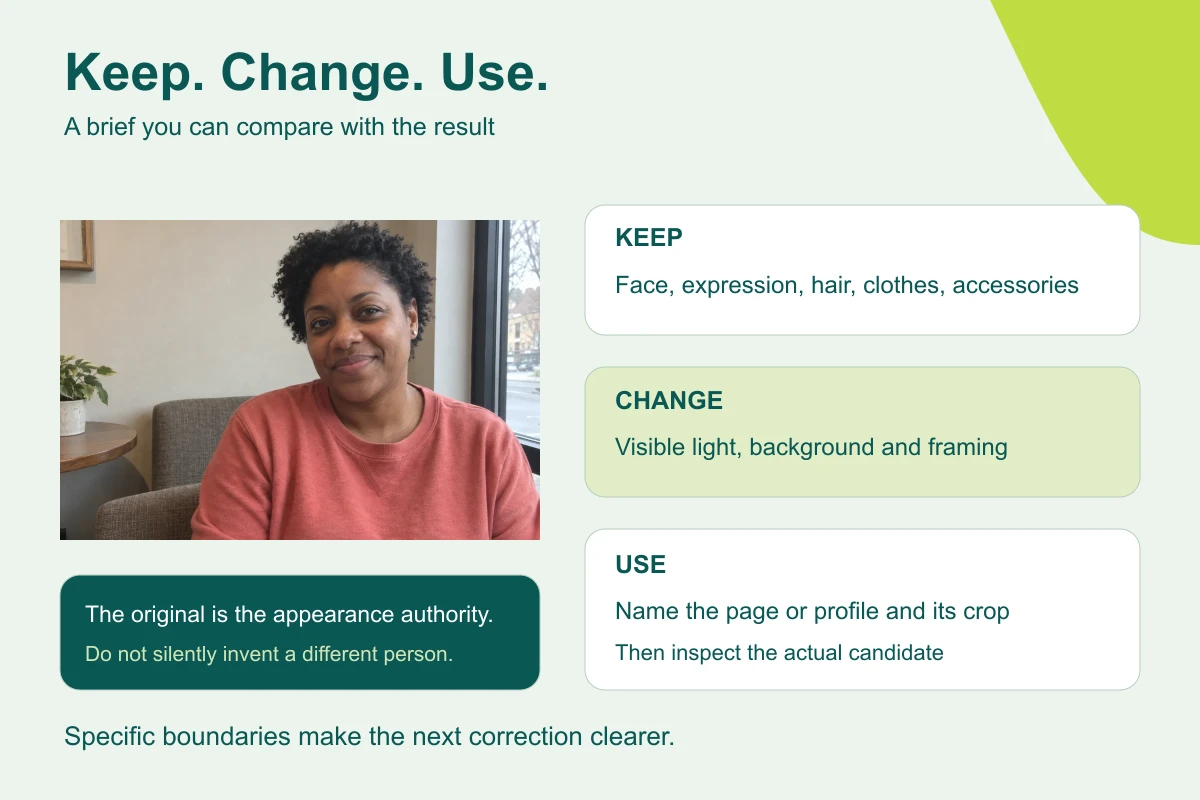
Start from your photo and where it will be used, pick one portrait route, brief one candidate and check that the person survived it.
Ask ChatGPT, Claude, Copilot or Gemini for a chart with direct labels, a one-sentence text alternative and a table, then put them where readers will find them.
Turn a monthly CSV export into a one-file dashboard colleagues can filter without a spreadsheet, then check its row count and totals against the file.
Give AI the written rules, get an editable diagram with a rule ID on every branch, then test the threshold and rejection cases before anyone relies on it.
Get a plain explanation of a chart screenshot that says what it can read, what it's estimating and which source data it still needs.
Ask ChatGPT, Claude, Copilot or Gemini to quote the faulty phrase, point to the source and name the kind of mistake, so you can fix it here and catch it next time.
Have ChatGPT, Claude, Copilot or Gemini list what a plan takes for granted, label each as stated, assumed or inferred, and turn the gaps into small questions.
Ask ChatGPT, Claude, Copilot or Gemini for clearer chart titles, units and notes while keeping the values and the measure exactly as they are.
Ask ChatGPT, Claude or Copilot for specific accessibility barriers tied to the page's code, check them with the keyboard, and fix one at a time.
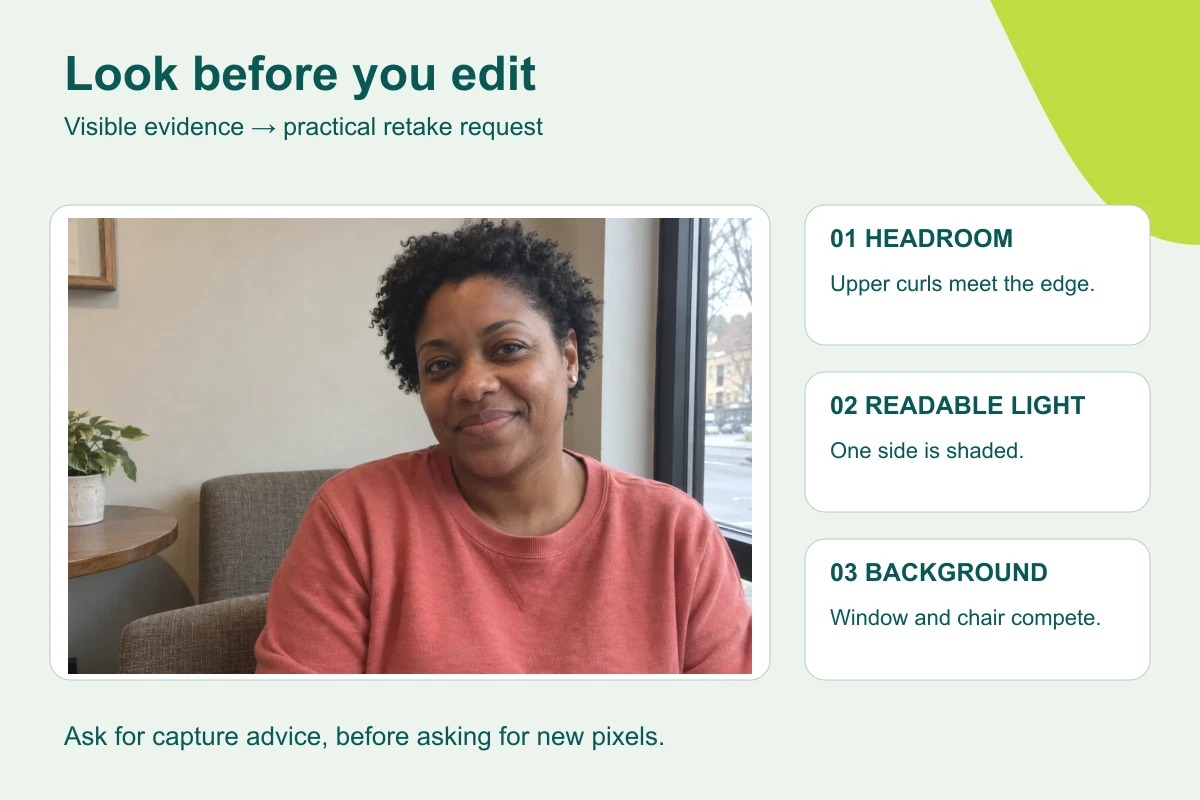
Have AI inspect a photo for visible problems, turn them into a three-step retake plan, and take a better original before you think about editing.
Ask AI who is available from a spreadsheet rota, keep blank cells as unknown, and check overlaps and end times before you rely on the answer.
Give AI one construction system for a few icons, get editable SVG rather than a picture of icons, and check the set at real size.
Use ChatGPT or Gemini to make three labelled visual directions, test one variable at a time and turn the chosen look into a brief someone else can reuse.
Use AI to assemble one review record per person, with appearance approval, brand treatment and permission to use kept as three separate decisions.
Save one portrait-editing brief in a ChatGPT project or Gemini Gem, attach a fresh photo for each person, and test it before your team relies on it.
Keep each claim, its exact excerpt and the source location in one table, then check that a relevant-looking source really supports the wording.
Turn your support rules into a yes/no tree where every step has a rule number, then check that the stop and escalate points survived.
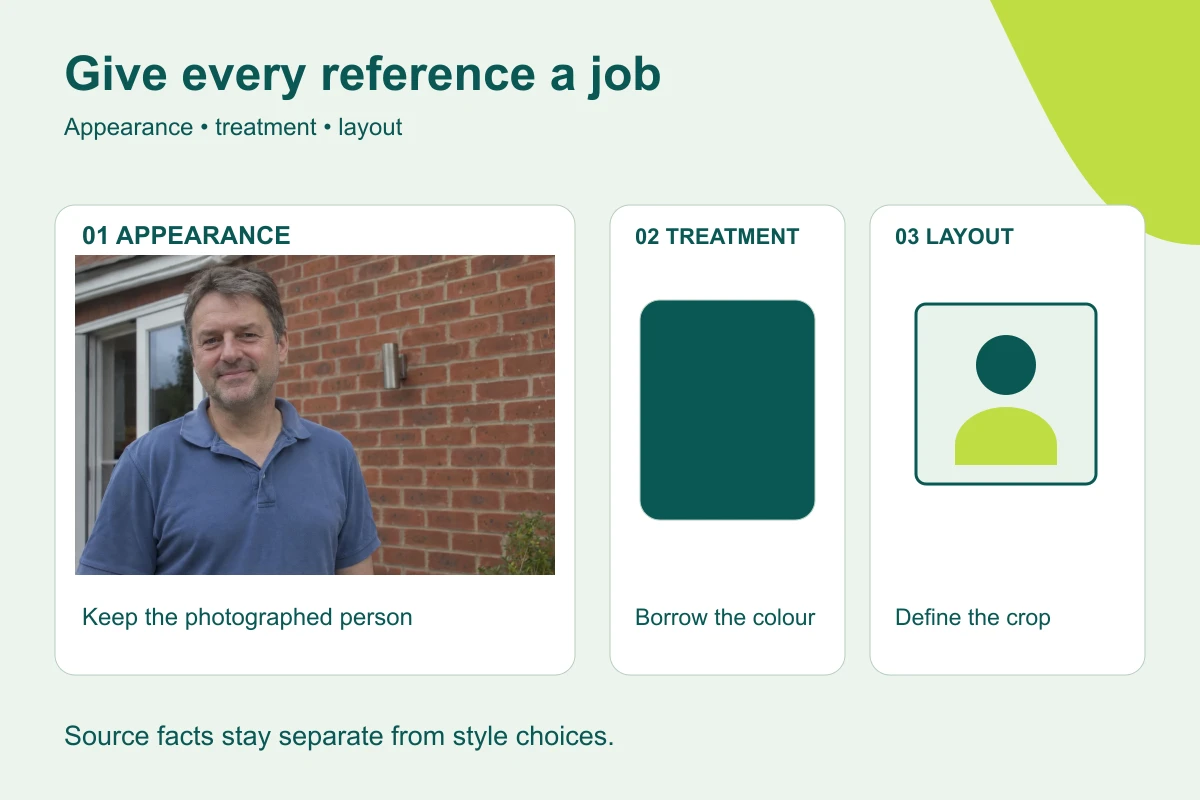
Label the person, visual treatment and framing references so an image editor knows what to keep and what to change.
Ask AI for a short challenge memo that separates supported answers from questions the paper cannot answer.
Remove a photo's background with PowerPoint or your usual editor, save a real transparent PNG, then check it on a dark slide and against the original face.
Ask AI for a cross-office meeting time, check it in the clock-change weeks, and build a small date-aware planner if you schedule across zones every week.
Write the valid and invalid cases before AI builds the form, run them yourself and repair the rule that lets the wrong value through.
Decide what must stay exact, editable or working, pick the tool that can make that kind of file, then open the file to check it.
Turn per-user, per-pack and per-year quotes into one comparison for your real quantity and period, with missing fees kept visible.
Convert a photo to black and white the simple way first, use an AI edit only when the photo needs more, and check the eyes, hair and clothing keep their detail.
Ask an image editor for background space around the person, not a new pose, then test real editable text on desktop and mobile.
Keep concept artwork separate from the product facts, map every word on the pack to the brief, and remove claims nobody can support.
Put a product photo into a new setting, compare the shape, handle, finish and props with the original, and composite the real photo when accuracy matters.
Brief AI for a two-colour graphic portrait, keep the person's features readable, and fix a cramped crop without asking for a whole new style.
Ask ChatGPT, Claude or Copilot for an editable update template with required fields and sections that only appear when the facts exist, then test it on an incomplete source.
Make a landscape website portrait by asking for more background, not a new body, and check the headroom and crop in your real page.
Put the original and the AI edit side by side, number every visible change, and turn each note into a keep, remove or fix request.
Ask AI to turn a procedure into a help page that puts the exclusions and stop points first, then test it with a case the usual route doesn't cover.
Give AI a short glossary and context, make it flag words with more than one meaning, and get a draft and term map you can check before sending.
Before ChatGPT, Claude, Copilot or Gemini joins two files, confirm what the key columns mean, then check the row count so a duplicate doesn't double your total.
Tell the editor which clothes and accessories stay, check the neckline, layers and jewellery, and repair one change without asking for a new outfit.
Ask AI to compare the glasses in the original and the edit before repairing anything, check lenses, bridge, stems and glare yourself, then fix one fault.
Ask for better light without a beauty filter, compare forehead, under-eye and cheek detail with the original, and repair smoothing or invented sharpness.
Sort what's wrong with an edited portrait into file, crop, edge, appearance or missing detail, then pick a narrow fix, an ordinary tool or a restart from the original.
Brief leadership lighting and a quiet setting from an everyday photo, keep the person's real clothes by default, and check the face before anything else.
Turn an ordinary photo into a studio-style headshot: brief the light and framing, check the person before the background, and fix only what missed the brief.
Turn checked facts into a one-page memo where every headline points to its source, unknowns stay visible and layout never stands in for evidence.
Have AI turn project facts into an editable one-page document and PDF, then open the PDF itself and check the status line, dates, links and layout.
Lay out candidates from one photo and one destination, change only one thing between them, and label each one so the choice is about the treatment, not the person.
Ask AI for three visual mechanisms for one slide idea, choose by what each one implies, and keep every fact as editable text.
Brief an image editor for a text-safe composition, keep the words editable and test the real heading and crop instead of trusting requested empty space.
Turn an image your team liked into a short written brief, split the lines that stay from the ones each job supplies, and test it on a second job before sharing it.
Tell AI which groups overlap, keep the real denominator and catch the pie chart that counts the same people twice.
Brief a warm studio treatment from an everyday photo while keeping the person's expression, outfit and natural facial detail.
Ask AI for a short executive summary with a source passage behind every claim, then check the strongest sentence so the conditions survive the shortening.
Write the finding and its limits first, build an editable chart with every number tied to the source, and catch a headline that turns a sample into the whole company.
Use an everyday photograph to make a restrained website portrait, describe a useful setting and check what the background appears to claim.
Sort what your technical colleagues build with AI into chat, files, small tools and connected actions, ask how one workflow really works, then try one job you can check.
List what must stay the same before generating frames, attach the original reference every time, and check the subject separately from the scene.
Export your chosen headshot with ordinary tools, then check the file's real type, pixel size and bytes, and the circle crop, before you upload.
Ask the publication what it needs, make a neutral portrait from an everyday photo, check the real file yourself and send it with a short factual handoff note.
Tell the editor to keep the hairline, curls and outline exactly as photographed, check the edge against the new background and repair only what changed.
Check a finished headshot at real avatar size, describe what the circle cuts off and fix it with a crop, not a new face.
Check an image's Content Credentials in a viewer, then have AI write a review note and label that keep its history, validation, accuracy and approval apart.
Ask AI what each number measures before it compares them, so weekly and monthly, opened and closed, or FTE and headcount don't get treated as the same thing.
Turn one set of technical notes into versions for an executive, finance and engineering, with the emphasis changed and the status, conditions and gaps identical in all three.
Save the monthly question in a project or note, attach each new export, and catch last month's figures before they reappear as this month's answer.
Have AI label each claim in your project notes as reported, pending, risk or forecast, using the exact wording, then write an update that keeps them apart.
Name the visible features that must stay, compare them region by region and repair the one that drifted, without asking AI to guess an age.
Tell AI what a blank month means, keep real zeros as zeros and make the chart break the line where nobody measured.
Ask ChatGPT, Claude, Copilot or Gemini for a scene-by-scene storyboard tied to your source rules, check what each scene promises, then make the visuals one scene at a time.
Translate a process diagram's labels without changing its logic, using a term key that says what each word means in this procedure.
Use a dark background and controlled light, keep both eyes readable, and check the light direction and clothing against your original.
Say which side the light comes from, how dark the shadow may get and what must stay the same, then check the face, the shadow side and the skin colour.
Improve an informal photo with soft outdoor light and a quiet backdrop, then check the edges, colour and headroom against the original.
Add film-inspired grain to a portrait you're already happy with in your own editor, and keep AI regeneration for when the background or framing also needs work.
Ask AI for a one-page pre-read built around the decision, with slide references, conditions kept intact and the questions the deck can't answer.
Ask for a pencil or watercolour treatment that changes the medium, not the person, then check glasses, hair, clothing and crop against the original.
Give AI the rules of a process, check a state table first, then click through a one-file prototype whose save and approve buttons say they're simulated.
Ask AI to build a one-file searchable page from a procedure or glossary, then check that every rule, exception and definition kept its exact wording.
Ask AI for an .ics calendar file from a table of events, then check the time zone, the all-day end dates and the event IDs before anyone imports it.
Build a case-study outline from exact customer quotes, keep what they said apart from what was measured, and list what's missing before anyone publishes.
Build a five-line checklist for one AI job from the ways that job actually goes wrong, test it on a flawed output and use it to ask for precise repairs.
Make a wide, square and tall version from one master image by cropping, padding or extending the background, without letting AI redraw the subject.
Give AI a scoped colour reference, compare the face with the original and learn when an exact background needs a fill you set yourself.
Before you rely on an AI calculation you'll repeat, test it on four rows you can work out yourself, including a zero, a blank and a duplicate.
Use AI for a wordless background, then put the event facts on top as real text in Canva, PowerPoint or Google Slides, so a wrong date is a ten-second fix.
Turn the phone, light, help and space you have into a short photo plan with checks, before any image editing.
Give each attached image one job, so a style reference lends its light or texture without replacing your subject, props or layout.
Record what went in, what came out, what was fixed and what you checked, so the colleague taking over knows exactly what is still to do.
Before you edit a portrait, list what the photo shows, write a keep / change / frame brief, and check the result against the photo in two passes.
Sort five team messages into three buckets, agree a disclosure phrase that says what was checked, and write six lines everyone can see.
Find a policy answer in Confluence, check which page governs it and keep the links a colleague needs to check it.
Connect a file service to ChatGPT, ask one bounded question, and check the answer against the named documents before you repeat it to anyone.
Ask Power BI Copilot or Tableau Pulse one question, then check the measure, filters and dates it used before you quote the number.
Choose the right sources in Gemini Notebook, ask a focused question, then open each citation to check the passage, its document and its version.
Use a short clarification round to fix a vague brief: up to three questions that change the result, a restated brief, then the draft.
Define the calculation before Claude builds the workbook, then open the .xlsx, read the formula and change an input to prove it's live.
Keep Codex read-only, ask for a plan that names every file it will read, create, change or delete, and resolve vague instructions before anything is written.
Get an answer from your Notion workspace and connected apps, then open every citation before you repeat it to anyone.
Ask one checkable question in Perplexity, open the citation behind the claim that matters, and remove any figure the page doesn't support.
Turn CRM records into a dated account brief with checked facts, open items and clear questions.
Ask AI for a small spreadsheet with one set of editable inputs, base, low and high cases and a break-even, then test that every case recalculates.
Create a proposed classification in an internal review queue, then check errors, notifications and safe recovery before activation.
Point Copilot in Word at an existing file with the / key, draft a new document from it, and check what it carried across accurately.
Find a repeated support job, draft from current instructions and test the macro on a matching case and an exception.
Choose between a chat answer, a canvas, a Page and a downloadable file, then check one revision where the text actually lives.
Summarise a busy Slack channel for a date range, then use the summary's sources to find the thread where people did not agree.
Choose Copilot Chat, Cowork or an agent for a supplier job, say where it must stop, and check what was written and what was done.
Split a forecast note into claims, match each to dated deal records and turn the gaps into specific questions before the forecast call.
Review a job advert against its real requirements, keep agreed terms intact and turn uncertain wording into questions for HR.
Use AI to find vague score descriptions, untestable criteria and double-counting, then dry-run the rubric before any bid exists.
Find out whether a scanned PDF has a text layer, compare the important figures with the image and correct the recognised text before you trust an AI answer from it.
Look at a generated image at the sizes readers will see, work through seven kinds of detail and decide whether to use, fix or replace it.
Ask one specific question of a long PDF, open every numbered source link, and find the sentence with no citation before you repeat the answer.
Understand the words connector and MCP, then turn a supplier's answers into a short access-review brief.
Attach your file in Perplexity, limit the sources where you can, and check the citations to see whether the answer came from your file or a web page.
Tell a local preview, a GitHub change and a deployed website apart, and record evidence for the stage the work really reached.
Use Work IQ in Microsoft Copilot to answer from your team's own document, name the exact version, and check the passage behind the answer.
Build a short AI entitlement register from checks you can run yourself, so budget conversations start from what you already have.
Compare Zoom, Google Meet and Teams notetakers row by row, separating what the vendor documents from what your account is actually set to do.
Count, test and write down where one recurring task belongs, with the condition that would change the decision and a date to look again.
Pick the small, current set of sources a Gemini Notebook question needs, select only those, and record what the sources don't cover.
Answer three questions before you draft, pick one of four checking levels, and know the cases where the answer is always the same.
Match the question to the source that can answer it, switch the AI tool to that source, and check the answer stays inside it.
Match a living document, presentation or visual prototype to the reader's job, then build and check it in Claude.
Put a small set of PDFs in an Acrobat PDF Space, ask for one comparison table, and open each citation to check the figures before you rely on it.
Set two meeting summaries side by side, check every material claim against the record, including the ones they agree on, and find what both left out.
Connect Drive to Claude, ask about a small set of files, and check which files Claude opened, skipped or couldn't read before you trust the answer.
Ask ChatGPT for a real .xlsx with editable inputs and formulas, then open it and change an input to check the total follows.
Give ChatGPT a source and a document structure, then open the downloaded Word file and check its facts, headings, table and page breaks.
Connect Canva to ChatGPT or Claude, ask for one design from checked copy, then open it in Canva and prove the text and graphics really are editable.
Write each human-only support situation as a trigger, match it to an Intercom Fin rule or guidance entry, and test it before customers meet it.
Use Rovo to turn a conversation into a reviewable Jira draft, with agreed work and unanswered questions kept separate.
Use Rewrite with Copilot on a Teams message you wrote yourself, and check that tidying the wording hasn't turned a condition into a promise.
Turn dated work observations into a source-linked narrative draft for the human reviewer.
Prepare a role-specific interview segment and evidence sheet that tests how candidates check work, without sending candidate answers to AI.
Turn a checked change log into reader-friendly release notes, leave out unshipped work and keep evidence for every published claim.
Draft a clear client-meeting notice, a spoken opening and a workable fallback from facts you have checked, then set who receives the notes.
Write a one-page integration request that separates the job you want done from the access the connector would get, with the gaps left visible.
Extract a small invoice batch into a table, check every key field against the documents and reconcile it to the ledger in both directions.
Set up Basic AI Autofill on one property, run it on a sample, and check the rows against the pages before you let it fill hundreds.
Ask your team what they use and why, decide one of four things for each tool, and send IT a summary with no names in it.
Create an illustrative marketing image in Adobe Firefly and record the model, inputs and checks needed before publication.
Specify and build a small local calculator, check its known answers and invalid inputs, and test the page in a browser before wider use.
Ask a focused question about a screenshot, keep what is visible apart from guesses, and turn an error message into a next check rather than a diagnosis.
Write custom instructions that hold stable preferences, keep task facts in the task, and test them on a short job and a detailed one.
Connect one small practice folder to Claude Cowork, check what it can read, and review one new output file without changing the sources.
Use AI to spot leading wording, combined questions and weak answer options, then review the revised questions against your research purpose.
Give a precise revision brief that keeps the good parts, fixes the weak part and preserves the facts.
Set up the Claude add-in for Word, make one small edit as tracked changes and check every revision before accepting it.
Build a Copilot Notebook for one project, add the decisive files by name, and ask questions that can only be answered from them.
Set up a Perplexity Project for one research job, add the right files, ask source-scoped questions and catch another client's file leaking into the answer.
A four-question screen, the task types where the answer is a standing no, and the narrowing move that turns some of them into a reasonable yes.
Spot when a chat has changed job or started drifting, carry forward only checked context and catch old details that follow you into the new task.
Give Canva AI a clear purpose, format and checked copy, then check the editable elements and the final export.
Pull useful terms from a set of documents, keep each source's meaning and leave undefined terms open for the owner to confirm.
Generate a deck from your Canva Brand Kit and Brand Template, fix the structure at the outline stage, then check every slide's facts before presenting.
Find renewal terms and missing dependencies, then build a checked brief with reviewer-confirmed deadlines.
Group exact application excerpts under agreed role criteria, then check omissions before a human review.
Proofread a commercial document with a checked change list, preserving its figures, conditions and agreed wording.
Keep source material separate from your request, look for text written to steer the AI, and check the answer against the visible facts.
Check how each notebook source updates, refresh changed material and rerun a question that shows the new version.
Ask for a claims table with a source link and a date on every row, require 'no source found' where there is none, then open three links before you say anything out loud.
Decide what ChatGPT or Claude may remember, read what it has saved, delete what shouldn't be there and use a memory-off chat for the rest.
Write a short access note for a Claude connector — what it reads, what it can write and who approves — before an owner enables it for everyone.
Check what your recurring meetings capture, sort each one against your policy, and get the unclear cases decided before the next occurrence.
Make a checked rules table, then turn it into a plain-English guide that keeps the policy's requirements, exceptions and authority intact.
Use Gemini in Docs to clarify one section, then check its figures, dates, conditions and commitments before accepting the changes.
Use AI to review a routing table, then build mutually exclusive Make routes with a fallback and visible failed-delivery handling.
Run a thirty-minute fortnightly clinic where one person does a real task live, the team checks it, and a seven-line entry records what went wrong as well as right.
Turn one prompt your team writes from memory every week into a saved, shared prompt with a title that tells people when to use it.
Save a recurring-task brief in Gemini, as a Gem or as one of the skills replacing Gems, test it on a week you know, and check each new result.
Set up one read-only recurring task with visible source gaps, a checked first result and a way to notice a missing run.
Write a stop list for one agent or AI workflow, attach a real control to each line in Zapier, Claude or ChatGPT, and check the settings that quietly undo it.
Build a Canva Brand Kit with logos, colours, fonts, guidelines and a Brand Template, then test it with one AI design before the team relies on it.
Turn agreed spellings and terminology into Grammarly style rules, check them in real sentences and use the usage data to fix the ones people dismiss.
Choose when Zoom's AI meeting summary starts and who receives it, tell attendees in words that match the settings, and know how to stop it.
Check the content, audience, access level and connected behaviour before sharing, then check what the recipient can actually open and do.
Check the content, sources, recipients and inherited Drive access before sharing a Gemini-assisted document.
Check which sources a notebook holds, pick the narrowest role and confirm what the recipient actually sees.
Hand over a checked result with a short note, keep the drafts and side questions out, and check what the recipient can open.
Find where Codex shows its skills, plugins and MCP connections, test access with one harmless read and keep answers to what Codex could really reach.
Choose dictation or a voice conversation, check important names and numbers, and correct the source before turning it into a useful output.
Think a small work problem through aloud with Gemini Live, then check the transcript so a misheard constraint doesn't become the plan.
Ask Acrobat AI Assistant one specific question about a PDF, follow its source numbers and keep the conditions that change the answer.
Make a first Canva AI design you can still edit: generate it, check every text box, fix what it invented and open the file you will send.
Do a first useful ChatGPT task at work: ask what changed in a spreadsheet export, check one total yourself, then choose your next job from the task cards.
Find useful Claude tasks for your work, check feature and account access, and follow the right route for a result you can review.
Get Codex open, give it one practice folder, ask for a plan before it changes anything, then check every row of what it made.
Do a first useful Gemini task inside Google Sheets: add weekly totals with a formula, check the range, then choose your next job from the task cards.
Check which Copilot your Microsoft 365 account has, then use Copilot in Excel to add a variance column you can test.
Build a first Gemini Notebook (formerly NotebookLM) from two sources, ask a cited question, check that a rule hasn't become a fact, then make one Studio output.
Ask Notion AI a question your workspace answers on three different pages, check it used the current one, then give Notion Agent one small change to make and review.
Choose Search, Research or a file in Perplexity, ask one current question and check the citation that matters.
Add a readable, checked CRM summary with a source trail, while preserving the original and avoiding unsupported audit-history promises.
Turn a note photo into a literal transcription, mark unreadable text and keep interpretation separate from what the page actually says.
Use Gemini to extract requests from a defined batch of Gmail threads, then check dates, ambiguity and messages it may have missed.
Match the symptom to its usual cause, test with one small request, and use a fallback that doesn't widen access or pretend the feature worked.
Match the symptom to Claude's usual limits, prove what it can read with one small sample, and continue from material you've checked.
Draft a six-sentence note from checked dashboard figures, keeping causes, requests and completed actions separate.
Summarise selected sticky notes with Miro AI, keep disagreement visible and check every decision against the board.
Check the conversations behind a topic, separate causes from hypotheses and propose one change with a useful measurement plan.
Create a source-linked Slack canvas, check what was agreed and keep unresolved questions visible.
Choose a usable output format, get a real file out of ChatGPT, Claude, Gemini or Copilot, and check that the facts survived the move.
Split the auditor's request list into one row per deliverable, add owners and a definition of done yourself, and send the unclear items back as questions before anyone starts searching.
Turn source material into a short study guide and quiz in Gemini Notebook, then check every answer and explanation against the source.
Pull the operative duties out of an AI policy, write three short rules with section numbers, check nothing was lost and get the policy owner's approval.
Review the files a Codex task changed, protect the source rules and undo an out-of-scope edit before accepting the result.
Get feedback tied to your actual script, fix one specific problem, then rehearse it aloud with a tool that can hear you.
Generate a focused Audio Overview in Gemini Notebook, listen for the claims that matter and check that the source's caveat survives the spoken version.
Give one piece of work its own ChatGPT project, files, instructions and project-only memory, then make sure you actually work inside it.
Ask a narrow public question, open the cited page and check exactly which parts of the answer its passage supports.
Set up a Claude project for a recurring update, keep standing references apart from this week’s facts, and check the first result.
Define a small CSV summary, have Codex build a reusable helper and compare its output with counts, missing values and duplicates you know.
Move a Copilot Chat response onto a shared Page, edit it the safe way, and hand colleagues a page they can finish instead of a screenshot.
Brief a small packing calculator in Gemini Canvas, test it with quantities you can check, and use the same discipline to edit a draft paragraph by paragraph.
Ask Gemini in Google Sheets for a total that says Incomplete while a value is missing, then check the formula still works when the table grows.
Extract decisions, actions and open items from six sets of meeting notes, then propose a small, reversible change to the meeting's owner.
Decide when a Claude Artifact beats a chat answer, make a one-page brief you can revise, and check each revision against your notes.
Learn what the model setting changes, find the thinking control in ChatGPT, Claude, Gemini or Copilot, and test it on a task with a known answer.
See what Notion Agent can edit, have it update a project page from meeting notes, and check and undo anything it changed that you didn't ask for.
Decide whether your job needs Claude Code or a simpler Claude option, then make one small change in a company code project and hand a checked diff to its owner.
Write a one-page proposal for a Claude Team plan: what it changes, the seat mix, what it doesn’t solve and what to confirm before buying.
Write a half-page decision note on moving from personal ChatGPT accounts to a Business workspace, using OpenAI's current documentation.
Build a short, dated note of what you may put into your work AI account, with the person or document that decided each line and the questions that get you there.
Build a one-page note that says which Gemini features your team can actually use today, which need a different edition and which need your admin.
Compare two Copilot answers against the same source, then work through licence, permissions, grounding, discovery and freshness to narrow down the cause.
Check the AI call summary against the transcript, then add a four-line handover that says what the call means for the account.
Use AI to list every decision two rival numbers disagree on, have the owner settle each one, then try to break the one-page definition before you publish it.
Apply explicit change thresholds, check every classification and report missing rules instead of inventing a headline.
Give an image generator a clear six-part brief, diagnose the first result and make one focused revision you can check.
Build a checked profit-variance table, add supported causes and draft commentary without inventing an explanation.
Draft alt text around the image's purpose, check it against what the image shows, and put it in the right place in Word, PowerPoint, Google Docs or Canva.
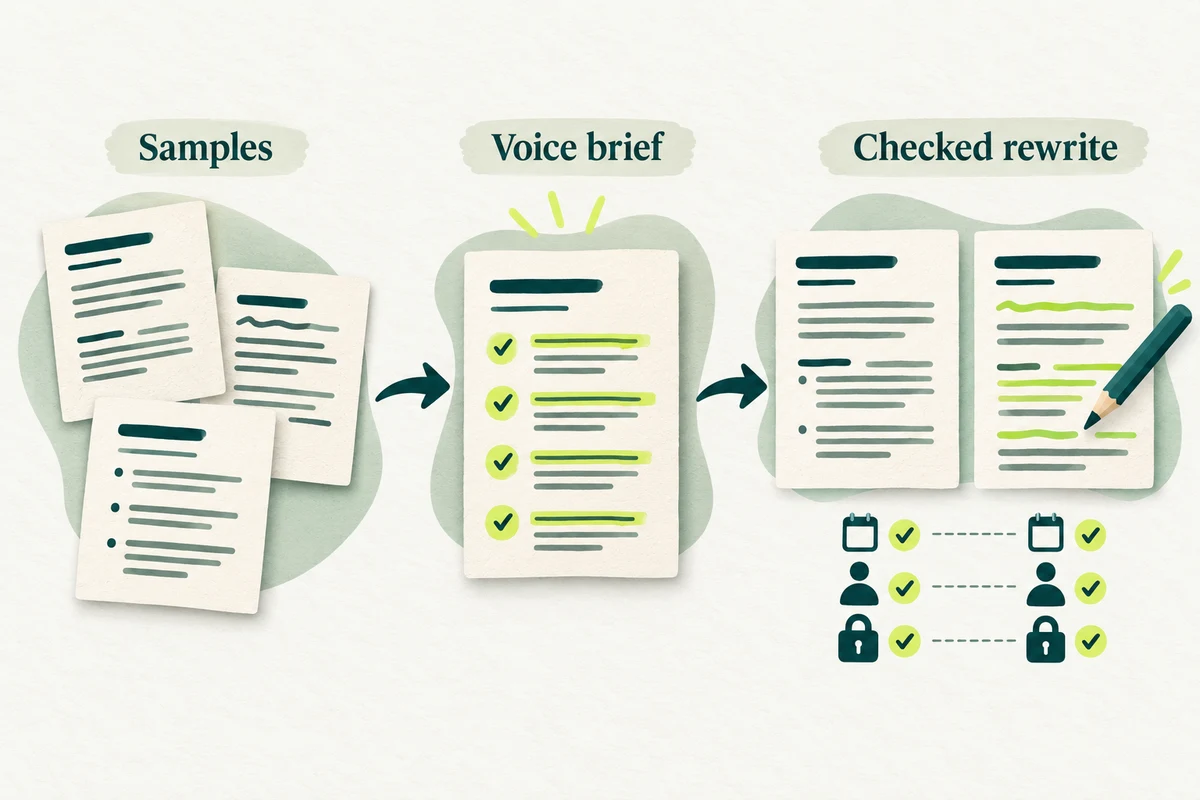
Build a short voice brief from writing your organisation already uses, then rewrite one draft and check that its facts and promises survive.
Upload a sales CSV, get a plain-English answer, then check the total and the rows behind it before you use it.
Brief a portrait edit for your own About page, then check the likeness and real page layout.
Match the claims behind a research report's recommendation to the passages they cite, correct the overstatements and keep the evidence gaps visible.
Turn one or two house review rules into checkable instructions, apply them to supplier terms in Claude, and test the instructions before you reuse them.
Split an AI legal answer into single claims, find the original authority for each and record what the passage supports, what needs narrowing and what needs a lawyer.
Compare ChatGPT and Claude on costs, team controls, coding, connected apps and creative work before choosing a plan.
Give both tools the same task and sources, score them against checks written in advance, and reach a conclusion about that task only.
Ask ChatGPT for a restrained photo edit, compare the face with the original and preview the profile crop before you use it.
Give Claude the customer’s question, the verified case facts and the current policy, then check the reply’s promises before sending.
Group concerns from a few customer calls, count them by call and account, and give the FAQ owner a list they can check.
Upload the old and new policies, ask Claude what changed and turn the important differences into a practical checklist.
Separate an accepted change from a later suggestion or conflicting draft.
Upload survey comments, ask ChatGPT for themes with counts and examples, then check the comments and the denominator behind each finding.
Run an exact comparison, then use AI to match moved and rewritten clauses between two contract drafts and check the map against both originals.
Ask ChatGPT to compare a few named competitors for a specific buyer need, with a link and date beside each claim, then check the facts that could change your conclusion.
Describe the calculation in ordinary words, put the candidate formula in a copy of your sheet and test it on rows whose answers you already know.
Write a shared portrait brief, try it on one photo with the person’s agreement, and pilot it on a few before editing the whole team.
Give ChatGPT the current documents and notes, then build a short handover with next steps, open risks and questions to resolve.
Turn current role documents into a practical learning plan with small exercises and a manager’s review.
Give AI your notes, later messages and the current plan, and get a short brief on what changed, what needs deciding and what is still unknown.
Organise dates and sources while keeping conflicting accounts visible.
Record a meeting with Wispr Notetaker, check both voices were captured, and use AI to find the names, dates and commitments worth checking before anyone relies on them.
Save the instructions for a task that works, test them with five fresh cases and, if your account supports it, package them as a skill.
Check your account and data settings, run one harmless practice prompt and keep a short setup note.
Choose one small task from your own work, give it a clear brief and check the result.
Test one workflow for two weeks, count drafting, checking and repairs, and decide whether to keep, change or stop it.
Draft a follow-up from a meeting transcript and the Slack replies that came after it, check every owner and date, and post it once to the right thread.
Upload a report to Claude, ask for a clear outline and build slides around the decision your audience needs to make.
Give Claude an expert’s notes and the official rules, get a one-page draft procedure, then test it on paper before the process owner signs it off.
Get a clause-linked table of who must do what, by when and under which conditions, ready for the contract owner to check.
Turn your rough client notes into a proposal draft, with scope questions first and unagreed terms left visible.
Ask AI about two work documents, trace each answer to its source and check which document actually sets the rule.
Upload the quotes, say what you need and get a like-for-like comparison that accounts for pack minimums, missing costs and delivery dates.
Turn your progress notes into a short weekly update with the facts, the uncertainty and the real request intact.
Turn meeting notes into decisions, agreed actions and open questions, with the right owners and the latest accepted dates, then draft the follow-up.
Turn your work notes into neutral 1:1 questions and a timed agenda, including the commitments you owe.
Read four well-known AI productivity studies for what they measured, turn one into an evidence card, and test the claim before it goes in a business case.
Use ChatGPT to compare two options, show the assumptions doing the work and draft a short memo that keeps released time apart from cash.
Build a clear five-part prompt for your own task, check the answer against your notes and make one focused correction.
With your permission, Google Analytics uses cookies to measure visits and which guides people read. It stays off until you accept. Use Analytics choices in the footer to change your choice. Rejecting after accepting refreshes this page. Privacy details.