Prepare a clean press headshot editors can actually use
A press headshot has two jobs: look like the person and arrive in a file the editor can use. A chat reply calling a 1,200-pixel WebP "print-ready" does neither.
What you'll make
a neutral press-style portrait that still looks like the person, checked against what the publication asked for, plus a five-line handoff note to send with it.
What you'll need
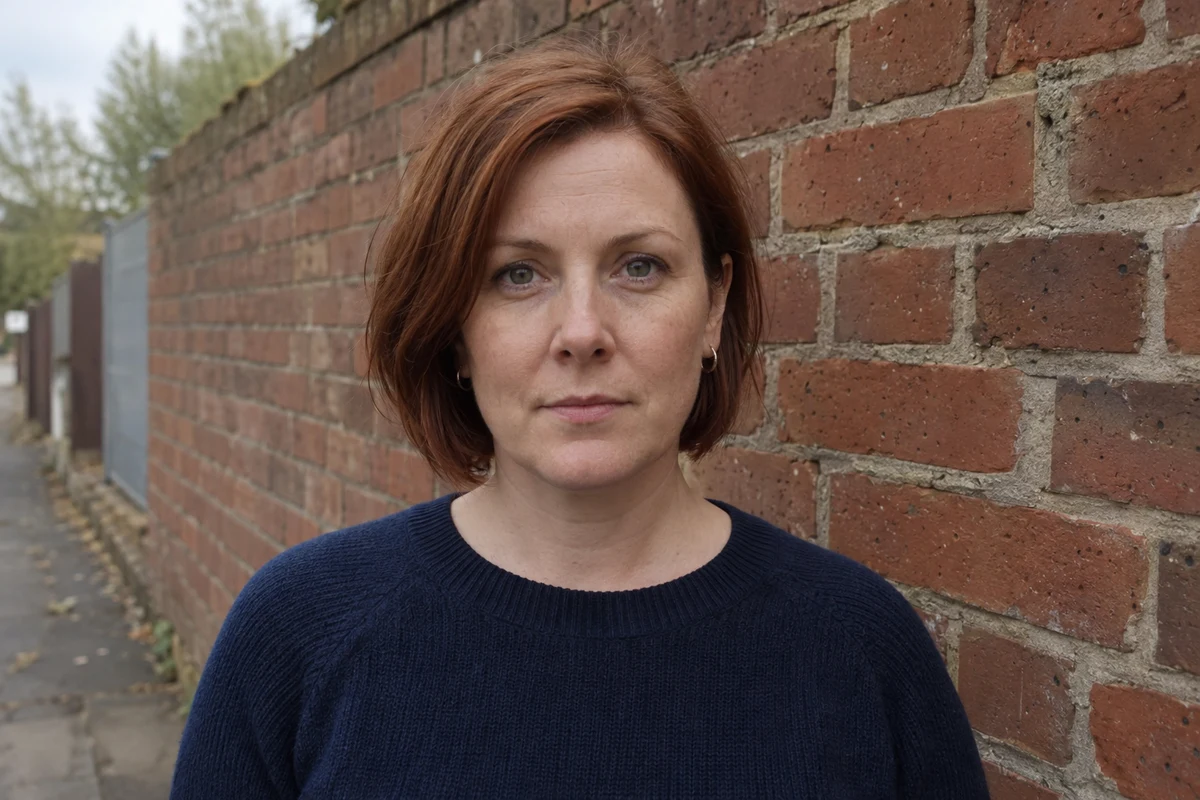
a recent, readable photo of yourself or of an adult who has agreed, an image editor your organisation lets you use (ChatGPT and Gemini both edit attached photos), and the publication’s file requirements. About 20 minutes. To practise first, use the fictional brick-wall photo.
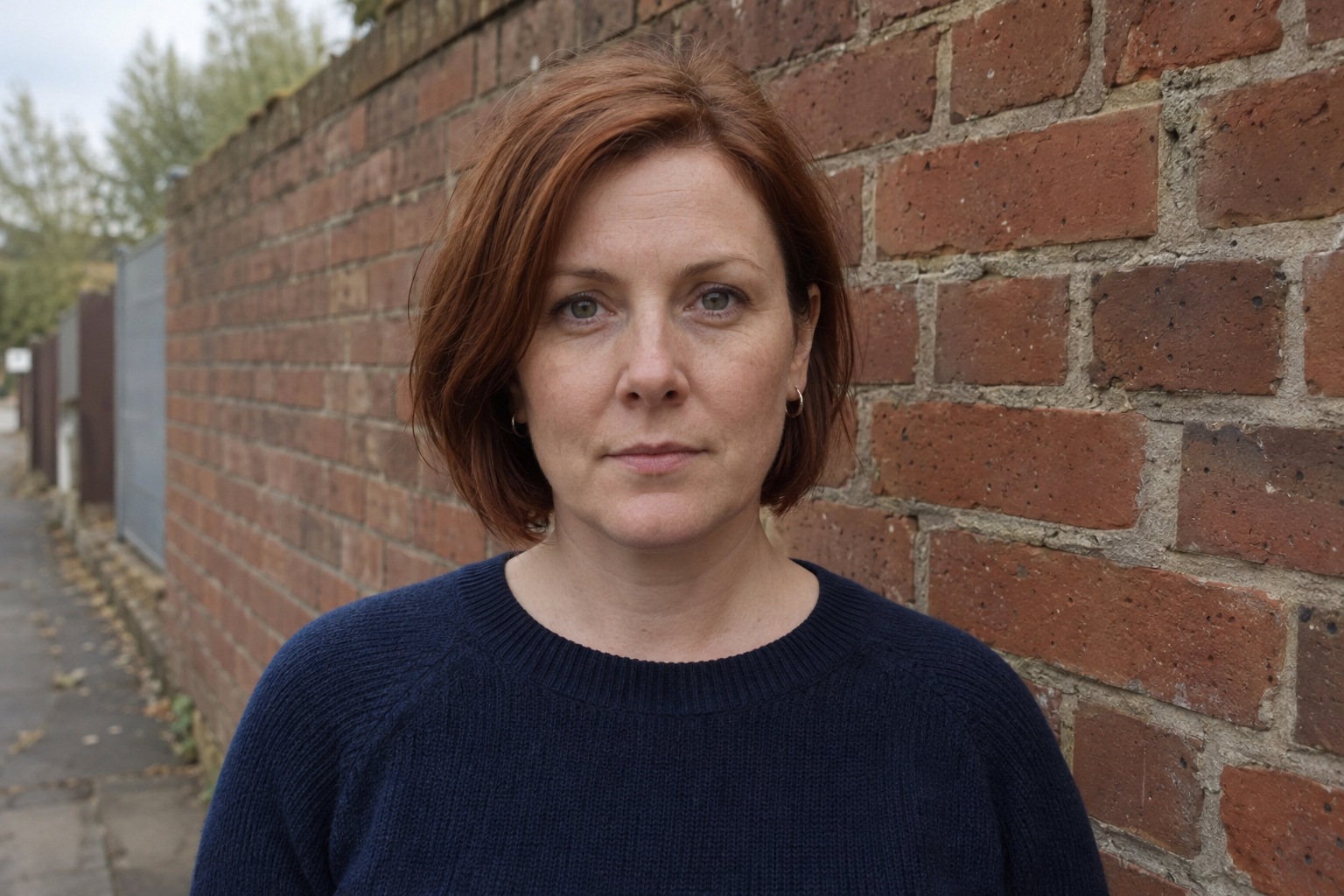
Example result.
1. Ask the publication what it needs first
Before any editing, ask the editor or production team: shape (for example portrait 4:5), minimum pixel size, file type, any size limit, and how they want the caption and credit. If they don’t say, write “unknown” and ask. Don’t let an AI invent a standard newspaper specification; there isn’t one.
Keep the caption separate from the picture. Name, role, organisation and credit go in the handoff note, written or checked by someone who knows them.
Why this works: the requirements decide the crop and the export. Getting them after the edit usually means doing it twice.
What you should see: a short list of requirements, with “unknown” against anything the publication hasn’t said.
2. Make a neutral candidate with room around the head
Attach the untouched original and paste the request. Keep the person’s own expression: a neutral direct gaze suits this example because it’s in the source photo, not because every press portrait needs one.
Edit my attached photo into a natural, clean press headshot.
Keep the face, proportions, expression, head angle, gaze, hair, clothes, accessories and posture exactly as photographed.
Use soft neutral studio light with both eyes readable, natural skin detail and a quiet off-white backdrop.
Frame head and shoulders as a [shape] crop, with the full hair and clear space above it.
No new smile, beauty retouching, outfit, hands, words or logos. Return one image at the largest size you can.
[shape] is the publication’s shape, such as “portrait 4:5”.
Why this works: naming the shape and the space above the hair at the start avoids the most common press rejection, a crop that cuts the top of the head.
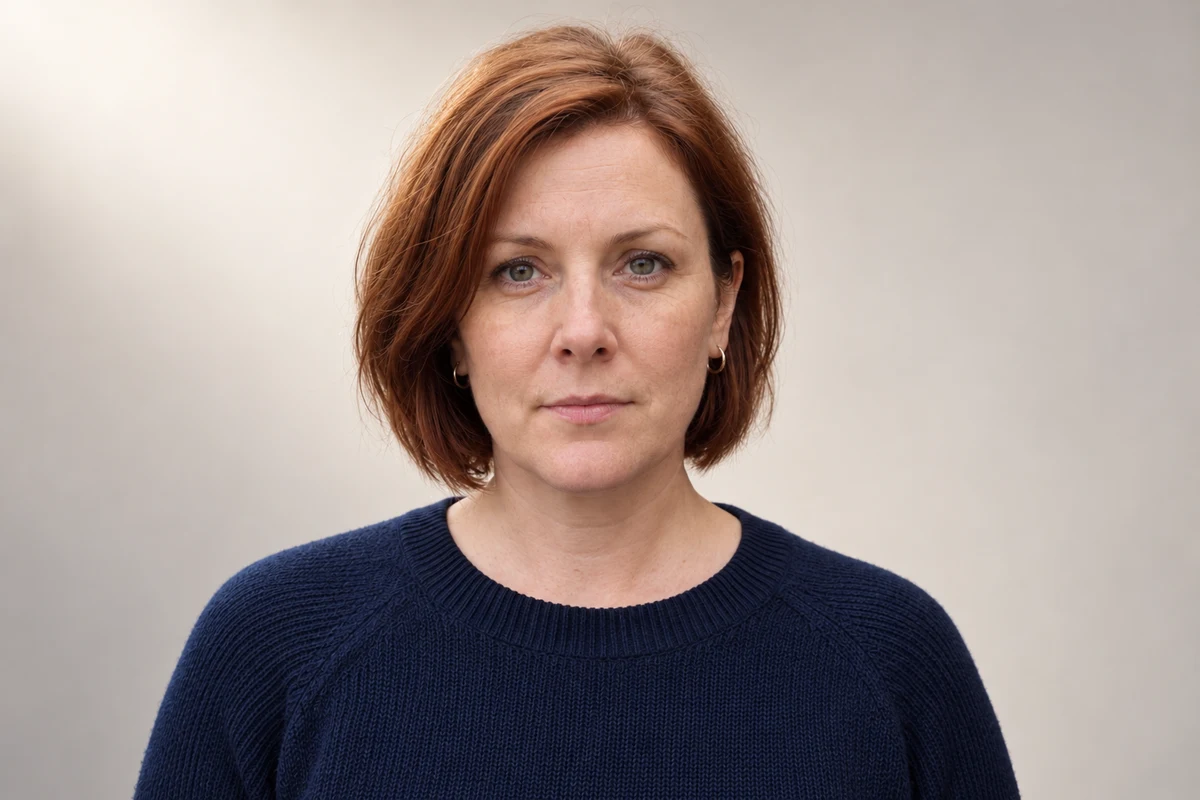
What you should see: one portrait of the same person in a quiet setting, with the full hair in frame.
3. Check the real file, then write the handoff note
Compare the face with the original first. Then check the downloaded file yourself rather than asking the chat about it. On a Mac, open it in Preview and click Info in the toolbar. On Windows, right-click the file and choose Properties › Details. Note the file type, the width and height in pixels, and the file size. A name ending in .jpg isn’t proof the file is a JPEG; the export guide shows how to check.
Then write the handoff note: file name, checked type and size, what was requested, the caption from an authorised person, what the photo may be used for, and any open question.
Why this works: pixel size and file type are facts on your computer. An AI reply about them is a guess about a file it may not be able to see.
What you should see: a file that matches the requirements, or a clear list of where it doesn’t.
Check the result
- Face, hair, expression, earrings and clothes match the original.
- The full hair is in frame with space above it, at the publication’s shape.
- File type and pixel size, checked on your computer, meet what was asked for.
- The caption and the agreed use are in the note, from someone authorised to give them.
The usual failure: the file isn’t the file they asked for. The chat says “print-ready”, and the download is a small landscape WebP. Changing the resolution number in an export dialog doesn’t add real detail, and asking AI to “upscale” invents it. Spot it by checking type and pixels yourself before you send anything.
The publication needs [requirements], but the file I have is [what I found].
Without generating a new face, tell me which requirements I can meet by cropping or exporting this image,
and which I can't meet without a larger original photo.
[requirements] is the publication’s list; [what I found] is the type and pixel size you checked.
Worked example: a brick-wall photo for a conference programme
Fictional example. A speaker’s photo is needed for a conference programme. The organisers ask for portrait 4:5, at least 2,000 pixels tall, JPEG, with the caption supplied separately.
Requested: portrait 4:5 · at least 2,000 px tall · JPEG · caption in email
Downloaded: press-headshot.webp · WebP · 1,200 × 800 px · 92 KB
Original photo: 1,536 × 1,024 px JPEG
First reply (wrong): the chat described its result as “print-ready”. The file is landscape, WebP and 800 pixels tall, and the space above the hair is narrow.
Repair: the repair prompt above. The answer: a 4:5 crop and a JPEG export are possible, but nothing made from this original can be 2,000 pixels tall without invented detail.
Handoff note:
File: press-headshot-4x5.jpg · JPEG · 640 × 800 px (checked in Preview)
Requested: 4:5, at least 2,000 px tall, JPEG (not met: height)
Caption: supplied by the communications team, see email
Approved for: conference programme, by the speaker
Question: can you use 800 px for the online programme, or shall we send a new photo?- The edit itself held: same expression, earrings and knit. The problem was the file, not the face.
- Two problems, two fixes: a narrow top margin is a picture repair; a file that’s too small is an export problem or a new-photo problem.
- The note says plainly what doesn’t meet the request. An editor would rather hear that now than find it at proof stage.
Try it
Check the press handoff
Separate portrait treatment from publication specifications.
Check the face against the original, then check the file's type and pixel size on your own computer.
The example in text
- Off-white photographic setting
- Direct level expression
- Complete hair with narrow top margin
Fictional photo and AI edit.
Task kit for this job: Download (ZIP) · Reusable instructions
Go deeper
Fix picture and file problems separately
Wrong type or size needs an export fix or a bigger original. A changed eye or hairline needs a repair against the original. A clipped top of the head needs more space added above it. Naming which kind of problem you have stops “generate it again” becoming the answer to everything.
The light and expression are good, but there's too little space above the hair for a [shape] crop.
Using my original for the person's appearance, add plain background above the head only.
Keep the clothes, expression and body exactly as they are. No invented hair. Return one image.
Make every version from one selected image
If the editor wants a square version too, crop it from the same selected image rather than generating a new one. Each new generation is a chance for a slightly different face.
Keep permission visible
Record who approved the photo and for what use. A practice file anyone can download is not permission to represent a real person. The approval sheet guide keeps appearance, brand and usage sign-off apart.