Write a headshot brief that says what must stay
“Make me look professional” leaves an image editor plenty of room to invent another person. A better brief says what stays, what may change and where the picture will be used — and then you can check it.
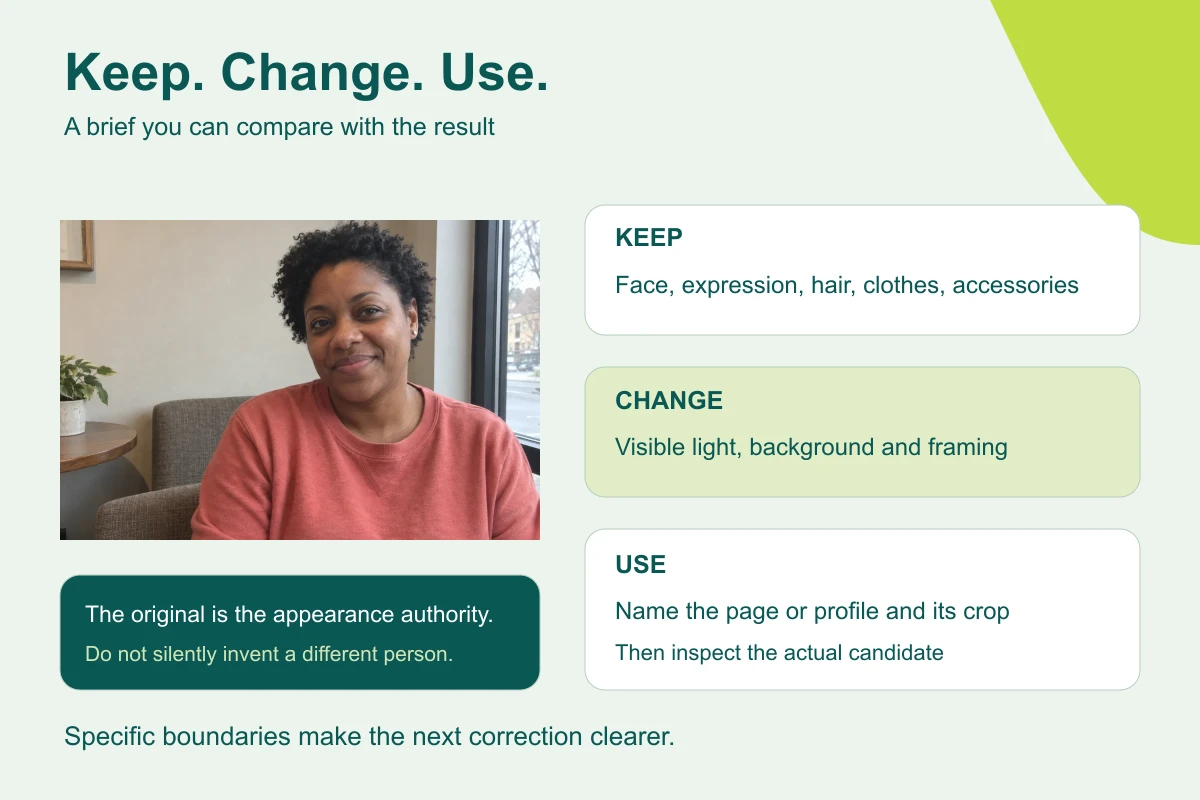
What you'll make
a three-part editing brief (keep, change, frame) written from the photo, and a two-pass check of the result.
What you'll need
a recent photo of yourself, or of an adult who has agreed, an image editor your organisation lets you use (ChatGPT, Gemini and Copilot can all edit attached photos, depending on your plan), and the place the picture will go. Keep the untouched original. If blur, glare or a tight crop hides important features, start with a better source photo. About fifteen minutes.
Example result.
KEEP his face shape, apparent age, grey stubble, round tortoiseshell glasses, olive cardigan over a blue check shirt and the green lanyard, with natural skin texture. CHANGE only the cluttered office behind him to plain warm grey, and even out the light. FRAME square head-and-shoulders for a staff profile, full hair with modest headroom, room for a circle crop.
1. List what the photo shows
Look at the original and write down what makes the person recognisable: face shape, apparent age, expression, hair, facial hair, glasses and jewellery, and every visible piece of clothing. Write what you see, not what you’d like.
Why this works: image editors change clothes and accessories more readily than faces, and a brief can only protect what it names. “Keep the face” quietly gives permission for a new jacket.
What you should see: a list of six to ten specific facts, including at least one item of clothing and any accessories.
2. Write the keep / change / frame brief
Attach the original and ask for one candidate:
Edit the person in my attached original portrait for [use].

KEEP
Their facial proportions, expression, apparent age, hair and
[visible details], with natural skin texture. Do not slim or reshape
the face, whiten teeth, smooth away lines, change hair or clothing.

CHANGE
Only [one treatment]. Keep believable skin colour and readable detail.

FRAME
[shape] head-and-shoulders framing with complete hair visible.
Do not invent hidden body parts, props, text, logos or credentials.
Make one candidate.
[use] is where it will appear, such as a staff profile. [visible details] is your list from step 1. [one treatment] is the single change, such as “the background, to plain warm grey”. [shape] is square, portrait or landscape.
Why this works: “professional” means a dozen things to a model; “plain warm grey background” means one. You don’t need a paragraph about lens brands to ask for soft light.
What you should see: one candidate in which only the named treatment has changed.
3. Check the candidate in two passes
First, likeness: compare the eyes, nose, jaw, hairline, expression and age with the original at full size, then go down your step 1 list item by item. Second, treatment: the background, light, crop and how it looks at the size it will be used.
If the person is right but the treatment is off, fix only that:
Keep the person, expression, hair, clothes and framing exactly as
in this candidate. Change only [the problem]. Do not retouch the
person while making this correction.
Why this works: keeping the passes apart lets you reject a changed face even when the background is lovely. The job is a usable portrait of the same person, not the nicest stranger in the batch.
What you should see: a tick against every item on your list, then a decision on the treatment.
Check the result
- Every visible piece of clothing and every accessory is in the brief.
- The brief asks for one treatment, not a makeover.
- In the candidate, each item on your list matches the original.
- The frame fits the place it will be used.
The usual failure: the brief protects the face and forgets the clothes, so the candidate arrives in a blazer, or without the glasses, looking more “professional” and less like them. Spot it by going down your list, not by judging the whole picture. Don’t repair the changed candidate; restart from the original with the missing items added to KEEP:
Reject the last candidate: [the change]. Start again from my untouched
original, not the candidate. Make only [one treatment]. Keep the
person's face, age, expression, hair, clothing and accessories
exactly as in the original.
Worked example: the cardigan that became a blazer
Fictional example. A colleague’s photo for the staff directory. The notes from step 1:
Man, late fifties. Short grey hair, grey stubble.
Round tortoiseshell glasses. Slight smile, mouth closed.
Olive cardigan over a blue check shirt, top button open.
Green lanyard visible at the neck.
Background: cluttered office shelves. Light: harsh from the left.- The first brief was too short. Its KEEP line said only “his face, hair and expression”. Suppose the candidate comes back in a navy blazer with no lanyard: nothing in that brief said not to. The low-key portrait example shows exactly this kind of added jacket.
- The repair was in the list. Adding the glasses, cardigan, check shirt and lanyard to KEEP, and restarting from the original with the restart prompt, gives the brief in the example result at the top of this page.
- One thing stays off the brief. The light is harsh, but CHANGE names only the background. Fixing the light in the same pass is a second change to check; do it next, with the step 3 prompt, once the person is right.
Go deeper
Reuse the brief without reusing someone's face
Save the three-part brief with its brackets. Each time, fill [visible details] from the new photo. An earlier person’s glasses, scarf or cardigan left in a saved prompt can turn up on someone else.
Use the attached original as the only reference for this person.
Ignore appearance details from earlier tasks. Apply only the keep,
change and frame rules to this new photo.
A fresh chat helps, but check your account’s memory settings too.
Keep a short approval record
Keep the original, the brief, the chosen candidate and a line saying who approved it for which use. A prompt doesn’t establish consent, and a file called “final” doesn’t establish approval. For a whole team, see consistent team headshots.
Illustrations need different checks
A pencil or clay treatment changes texture on purpose, so you can’t ask for photo-level likeness. Keep the identifying shapes — hair outline, glasses, expression, clothes — and get the person’s agreement before using a stylised picture. The portrait library has a guide for each style.