Create a packaging concept without inventing product claims
AI can make a packaging concept look finished before its facts are finished. Keep the decorative idea, the checked words and the production details in separate layers.
What you'll make
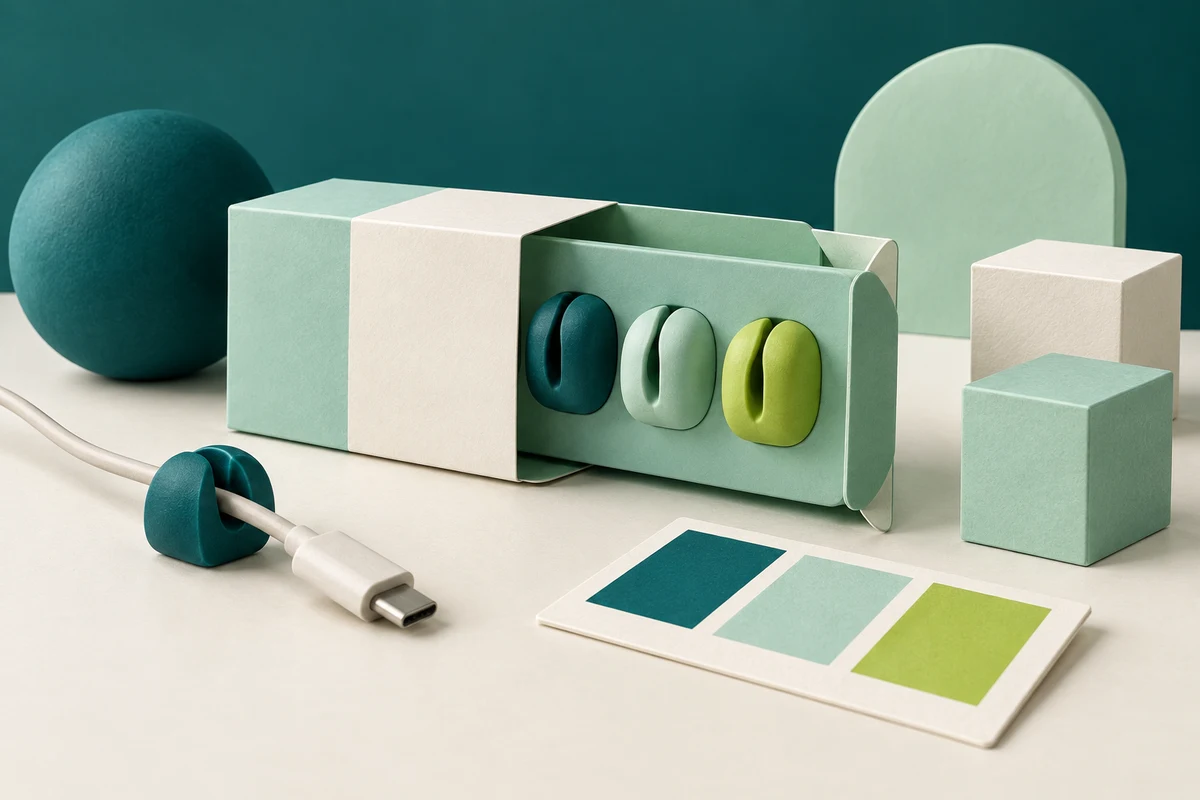
a packaging concept labelled as a concept, with every word on it traced to the product brief and the missing production details listed.
What you'll need
the product fact sheet, any brand assets, an AI chat for the copy map and a design tool with editable text layers, such as Canva or Adobe Express. Allow about 30 minutes.
Example result.
| Text field | Exact fact from the brief | Status |
|---|---|---|
| Product name | Loop clip | From brief |
| Descriptor | Desk cable clip | From brief |
| Pack count and colour | Set of 3 · Mint | From brief |
| Claims badge | (none) | Nothing in the brief; left empty |
| Dimensions, material, dieline | (none) | Missing; production to supply |
1. Write the facts down before asking for a picture
List the product name, pack count, variant and any wording someone has already signed off. Then list what’s missing: dimensions, material, test results, environmental claims. Missing items stay missing. Don’t let the model fill them with whatever sounds persuasive.
Ask for a concept that keeps the artwork and the words apart:
Draft a packaging concept for review from this brief: [brief].
Use only the facts in the brief for the product name, count, variant
and any claims. Keep the decorative artwork, the factual text and
production placeholders separate. Don't put final words, barcodes or
certification marks inside the artwork. List missing dimensions,
material or production details as unresolved. Label the result
"Concept, not for production". Don't add sustainability, performance
or safety claims.
[brief] is your fact list, with the missing items marked.
Why this works: a model asked for “premium packaging” will supply premium-sounding claims. A short brief with its gaps named gives it nothing to embellish.
What you should see: a description of the visual direction, the text fields with only your facts, and a list of unresolved items.
2. Ask for a copy map before any layout
Before you look at a mock-up, ask which fact goes into which text field. This is the record you’ll check the design against.
Make a copy map with one row per text field on the pack: field, the
exact fact from my brief, where in the brief it came from, and status.
If a field has no fact behind it, leave it empty and mark it
unresolved. Describe the decorative artwork separately.
Why this works: a table of fields is far easier to check than a finished-looking box, and it shows straight away when a field has nothing behind it.
What you should see: a table like the example result above, with empty fields marked rather than filled.
3. Build the layout with real text layers
Use AI imagery for mood, colour and shape, and put the words in yourself:
- Canva or Adobe Express: place the generated artwork as an image, then add each copy-map field as its own text box. Use your real logo file, not a generated redraw.
- A chat image tool (ChatGPT, Gemini or Copilot): use it for mood boards and background art only. Text drawn inside a generated image isn’t editable copy, and it may be misspelt.
Why this works: if the words live in text boxes, correcting a claim takes one click. If they’re painted into the artwork, every correction means a new image, which may bring new mistakes.
What you should see: a layout where every word can be selected and edited, each one matching a row in the copy map.
Check the result
- Every visible word matches a row in the copy map.
- No claim appears that isn’t in the brief: search for words like “eco”, “recyclable”, “waterproof”, “durable” and “guarantee”.
- Text, logos and marks are editable layers, not part of the picture.
- The “Concept, not for production” label is visible.
The usual failure: the model adds a claim nobody made, usually something green or tough-sounding, and the design makes it look official. Remove it rather than shrinking it into small print. In the UK, the Competition and Markets Authority’s Green Claims Code sets out how environmental claims, including those on packaging, must comply with consumer protection law, so an unsupported “eco-friendly” badge is a legal risk as well as a factual one. Send any claim you want to keep to whoever signs off product copy.
The concept added [unsupported claim]. My brief supports only
[facts]. Remove the claim and put those facts back as editable text.
Keep the decorative direction. Leave [missing detail] unresolved and
keep the concept label. Don't add a different claim to fill the space.
[unsupported claim] is the wording you found; [facts] are the rows from your copy map; [missing detail] is anything production still has to supply.
Worked example: the Loop clip pack
Fictional example. A small stationery brand wants a concept for a three-pack of cable clips.
Product name: Loop clip
Descriptor: Desk cable clip
Count: Set of 3
Colour: Mint
Missing: sustainability claim, durability test, dimensions, material, dieline
The first concept looked lovely: mint sleeve, three clips, a cable curling around them. Its text read “Loop clip · Desk cable clip · Set of 3 · Mint”, plus a leaf badge saying “Eco-friendly and waterproof”. Somewhere between the brief and the mock-up, a cable clip had acquired an environmental policy and a weather rating.
The repair prompt, filled in with “Eco-friendly and waterproof”, the four facts and “dimensions and dieline”, removed the badge and left the space empty. The copy map in the example result is the corrected version.
- The badge was the usual failure. It sat in the artwork, not a text layer, so it would have survived any copy check that only read the text boxes.
- The empty claims field stayed empty. The repair prompt says not to add a different claim, because the next suggestion was going to be “Durable”.
- Missing items stayed on the list. Dimensions and the dieline go to production; a flat concept can’t settle fold geometry or print colour.
Task kit for this job: Download (ZIP) · Reusable instructions
Go deeper
Keep exact logos out of generated redraws
Place your logo file in its own editable layer. A generated approximation can change lettering or proportions while still looking plausible, and nobody notices until it’s printed on 5,000 sleeves. Treat the logo as an asset you place, never something you describe to the model.
Turn the copy map into a review note
Before the concept goes to a reviewer, list each copy field, its source and every unresolved production item, and leave a column for the reviewer’s decision. Keep that decision separate from anything AI wrote. The source-linked memo guide shows the same mapping for a review document.
Use the same split for a poster or web ad
Generate or choose the background, then add the checked words in real text layers. The poster guide uses the same separation for event and promotional material.
Sources
- Green Claims Code: making environmental claims (Competition and Markets Authority)
- Image generation in ChatGPT (OpenAI)