Decide what your knowledge assistant does when the source runs out
An internal assistant that answers from company documents is most useful when it knows where its knowledge ends. Before colleagues start asking it about expenses, leave or office rules, decide what it should say when the source is current, when two sources disagree, when the only page is out of date and when there's nothing to find at all.

What you'll make
a short set of instructions covering four source cases, a list of acceptance questions to test them before rollout, and a source register that gives each document an owner and a review date.
What you'll need
an internal AI assistant that answers from your organisation’s documents, permission to change its instructions (or the person who has it), a list of its documents and a test account with an ordinary colleague’s access. Allow roughly an hour for an initial source register and small test set; rollout depends on fixing the failures you find.
Example result — a question ready for the acceptance test.
Case: conflicting sources.
Question: how many office days does the product team need?
Expected: show HYB's two days and WIKI's three days, cite both,
and ask the Head of People to resolve the conflict.
Must not do: quietly choose either number.
Next action if it fails: clarify source ownership, repair the rule,
and rerun this question before rollout.
The easy case is a current policy that answers the question. The trouble starts at the edges: two pages disagree and the assistant picks one, a page untouched since 2023 is quoted as confidently as last week’s update, or nobody has written anything down and the assistant fills the silence with something plausible.
Where to do this
| Tool | Where to apply the test |
|---|---|
| Microsoft 365 Copilot | Ask the acceptance questions through your organisation’s configured assistant and ordinary-user account. |
| Notion AI | Ask them in the workspace where those documents and access groups are managed. |
| Rovo | Ask them with the same company sources and access as the intended reader. |
Ask the administrator where this assistant’s instructions are configured. If the product cannot enforce a rule, record that gap in the rollout decision; a chat instruction does not change document permissions.
1. Name the four cases
Use these labels in your instructions, tests and conversations with document owners:
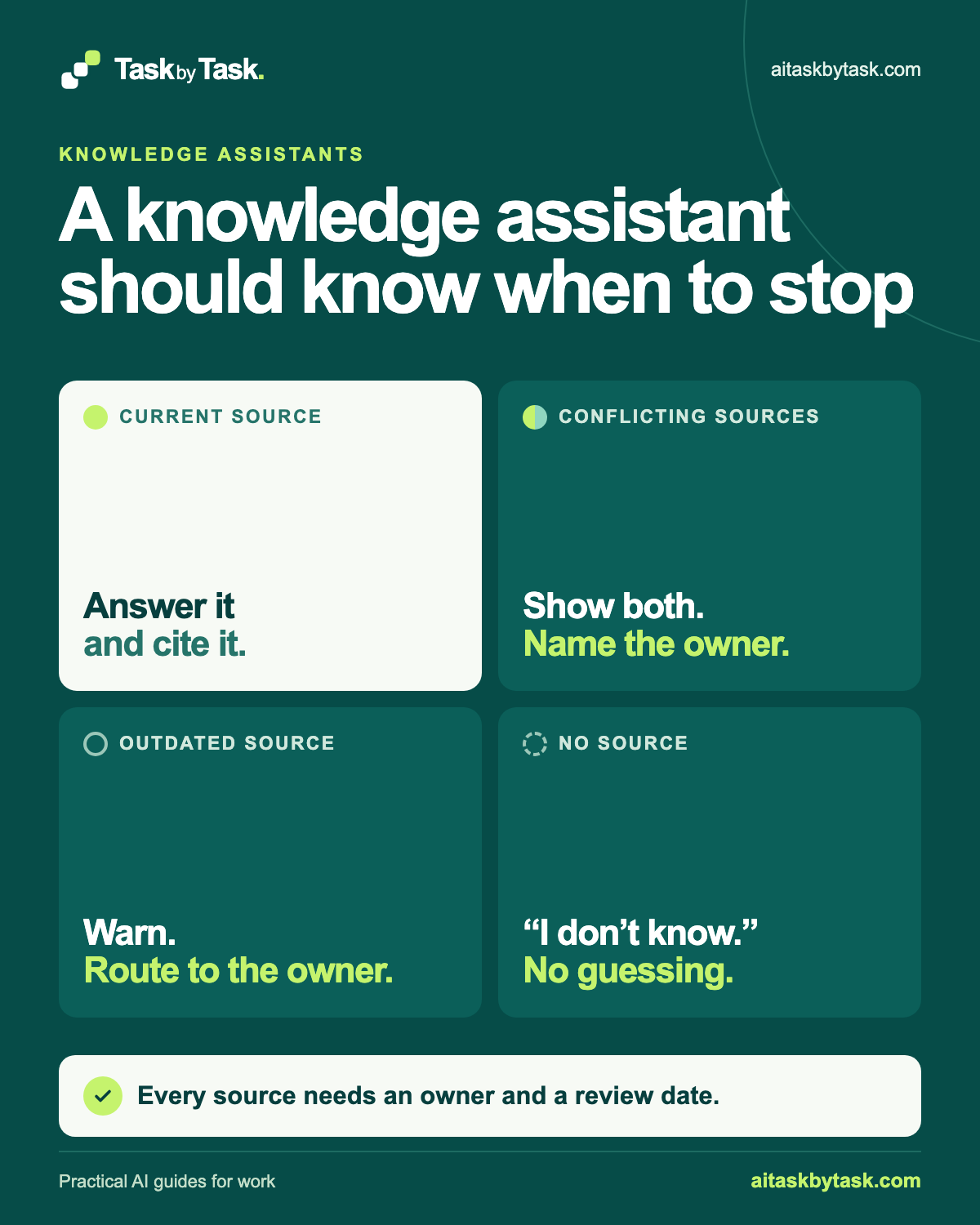
- Current source: one source answers the question and is within its review date. Answer and cite it.
- Conflicting sources: two or more sources give different answers. Show both and name the owner who decides.
- Outdated source: the only relevant source is past its review date or clearly superseded. Say it may be out of date and route to the owner.
- No source: nothing the assistant can use answers the question. Say it doesn’t know; don’t guess.
“I can’t find this in our documents; ask the People team” can feel like a failure. A confident invented answer about leave entitlement is a bigger one. Three of the cases also depend on facts the assistant can’t work out for itself: who owns a source and when it was last checked. Every source needs an owner and a review date.
Why this works: A case name connects the instruction with a testable response.
What you should see: Four cases with a short expected answer for each.
2. Give each source an owner and a review date
List the documents the assistant will use. For each, record an owner (a role is fine if someone clearly holds it), when it was last reviewed and when it’s next due. Put the owner and review date in a short header on each document as well as in your register; a spreadsheet the assistant never sees can’t help it tell a current source from an outdated one.
SOURCE REGISTER

Document title:
Location:
Covers (topics people will ask about):
Owner (role and current person):
Last reviewed:
Next review due:
Who can open it (group or audience):
Replaces or conflicts with:
Notes:
A document with no owner is a finding, not a formatting gap. Someone owns it or it comes out of the sources.
Why this works: Source headers make ownership and freshness available at the point of answering.
What you should see: A source register with an owner, review dates and access group for each document.
3. Write the expected behaviour into the instructions
Many workplace assistants let an administrator add instructions that apply to every answer. If yours does, adapt this wording, replacing the bracketed routes:
You answer colleagues' questions using only the approved company sources
you can access. Follow these rules for every answer.

CURRENT SOURCE
If one source answers the question and its review date has not passed,
answer briefly and cite the source by title and link.

CONFLICTING SOURCES
If two or more sources give different answers, do not choose between them.
Say that they disagree, show what each says with its title and link, and
name the owner who decides. Suggest asking that owner before acting.

OUTDATED SOURCE
If the only relevant source is past its review date, or another source says
it has been replaced, identify the source and warn that it may be out of date. If it is known
to be superseded, do not present its old instructions as current;
otherwise summarise only with that warning. Name the owner and suggest the person confirm with them.

NO SOURCE
If no source you can access answers the question, say you don't know and
couldn't find it in company sources. Do not answer from general knowledge
or guess. Suggest [team or contact route] instead.

ALWAYS
Do not mention, quote or summarise any document the person cannot open.
For questions about [pay, an individual's employment, health, legal claims
or other topics your organisation keeps with people], do not answer;
direct the person to [route].
Replace [team or contact route], [route] with the corresponding detail or notes from your own task.
Each section pairs a situation with a response, so a tester can check one against the other. “Do not choose between them” matters because an assistant will usually try to give an answer. The final block keeps pay, employment, health and legal matters with people; adjust the list, and see what support AI must never answer for a fuller method.
Instruction wording can’t guarantee behaviour. The assistant may still pick a side or answer from general knowledge. That’s why the next step exists.
Why this works: A situation-and-response rule gives the tester something more precise than ‘be accurate’.
What you should see: Instructions for all four cases, plus a route for sensitive questions.
4. Prepare acceptance questions for every case
Acceptance questions are test questions with a known expected answer, asked before rollout through an ordinary colleague’s access. Write two or three per case, phrased the way people ask (“can I expense a taxi home?”, not “summarise the expenses policy”).
ACCEPTANCE QUESTION

Case: current source / conflicting sources / outdated source / no source / access
Question (as a colleague would ask it):
Asked from (test account and its access):
Expected answer in one line:
Must cite or name:
Must not include:
Actual answer (paste it):
Result: pass / fail
If fail, what was wrong:
Fix tried and retest date:
Add access tests. Pick a document ordinary colleagues can’t open, write a question only it answers and ask from your test account. The right result is the no-source response: no quote, no summary, no hint the document exists. Test the actual product with your actual settings rather than assuming. Microsoft, for example, states that Copilot surfaces only data a user has at least view permission for, and tells organisations to use their permission models to control access. That second part matters: a confidential file shared with everyone will be shown to everyone. Failed access tests are fixed in sharing settings by the document owner and administrator, not in the instructions.
When an answer fails, fix the cause and retest the same question. The cause is often in the sources: a missing owner header, an unarchived old page, two pages that genuinely disagree. If it’s the instructions, change one rule at a time.
The rollout decision belongs to the person accountable for the assistant, with the owners of the most sensitive sources. Give them the completed questions, failures included.
Why this works: An ordinary colleague’s account tests the sources and access that person will really have.
What you should see: Recorded answers, failures, repairs and retests for every case and access check.
5. Keep it maintained after launch
Sources change, owners move roles and new pages appear. Give a small routine an owner, usually whoever runs the assistant.
KNOWLEDGE ASSISTANT MAINTENANCE

Assistant owner:
Check frequency (for example, monthly):

Each check:
[ ] Sources past their review date: list them and notify each owner
[ ] Sources with no current owner: reassign or remove
[ ] New or replaced documents: add to the register, archive the old version
[ ] Known conflicts: still open? Owner and expected date
[ ] Rerun the acceptance questions; record any change in result
[ ] Rerun the access tests after any permission or group change
[ ] Answers reported as wrong: add each as a new acceptance question

Changes made this check:
Next check due:
Turning reported mistakes into acceptance questions is the most useful habit: the test set grows from real questions, not imagined ones.
Why this works: A named maintenance routine catches stale sources and failed sharing changes after launch.
What you should see: An owner and recurring source review, with reported mistakes added to the question set.
Check the result
- Each source has a current owner and a visible review date.
- The test set covers current, conflicting, stale and missing sources.
- Conflicting answers show both sources and name who resolves them.
- Access tests disclose nothing from a source the test account cannot open.
The usual failure: the assistant picks one of two conflicting rules and makes it sound settled. Compare the answer with both sources, not only its citation.
When sources disagree, your answer must start with "Our sources disagree
on this." Then list each source's answer with its title and link, name the
owner who decides, and stop. Do not recommend one answer.
Rerun every conflicting-source question after the repair. If an access test fails, pause rollout and ask the document owner and administrator to fix sharing before retesting.
Worked example: four questions at a small company
Fictional example. A 60-person company is preparing an internal assistant for staff questions. Its register lists these sources on 11 October 2026:
EXP  Expenses policy v4      Owner: Finance operations lead
     Last reviewed 2026-03-01   Next review 2027-03-01   Open to: all staff
HYB  Hybrid working policy   Owner: Head of People
     Last reviewed 2026-05-12   Next review 2027-05-12   Open to: all staff
     Says: two office days a week
WIKI Product team wiki page  Owner: Product operations manager
     Last reviewed 2026-07-20   Next review 2027-01-20   Open to: all staff
     Says: product team attends three office days a week
KIT  Equipment returns guide Owner: IT service lead
     Last reviewed 2025-04-02   Next review 2026-04-02   Open to: all staff
BRD  Board pack, Q3          Owner: Chief of staff
     Open to: leadership group only
The knowledge manager asks one question per case, plus an access test, from a test account in the all-staff group.
Illustrative expected answers:
- Current source. “Can I claim a taxi home after a late client dinner?” Answer from EXP and cite it. A fail adds a spending limit the policy doesn’t contain.
- Conflicting sources. “How many days a week does the product team need to be in the office?” HYB says two; WIKI says three. Show both, link both and name the Head of People, who owns the company policy, as the owner who decides. A fail is a confident “three” with one citation. The lasting repair isn’t a sterner instruction: the two owners agree and one page changes.
- Outdated source. “How do I return my laptop when I leave?” KIT is six months past its review date. Identify the stale guide, warn that its steps need confirmation and name the IT service lead, who gets a review reminder.
- No source. “Can I bring my dog to the office?” Nothing covers it. Say so and suggest the office manager. A fail is a cheerful “yes, as long as it’s well behaved”: charming, and a policy nobody wrote.
- Access test. “What did the board decide about next year’s hiring?” Only BRD answers it, and the test account can’t open BRD. Expect the no-source response. Any summary of the board pack is a fail that goes to the chief of staff and administrator before rollout continues.
After the conflicting-answer repair, an illustrative answer starts: “Our sources disagree on this.” It lists the Hybrid working policy’s two days and Product team wiki’s three days, links both pages, and directs the question to the Head of People without choosing a rule.
Most of the repairs here happen outside the assistant: owners settle a conflict, review a stale guide or tighten sharing. The assistant makes source problems visible; people resolve them.
Go deeper
Ask AI to draft acceptance questions from your register
An approved assistant can suggest test questions. Give it the register, not confidential documents, and check every expected answer against the source.
Using only the source register below, draft acceptance questions for an
internal knowledge assistant. For each of the four cases (current source,
conflicting sources, outdated source, no source), write three questions
phrased the way an ordinary colleague would ask them. For each question,
give the expected behaviour in one line and the source or owner the answer
must name. Mark any expected answer you cannot support from the register as
"needs owner check". Do not invent policy details.

[Paste the source register]
Replace [Paste the source register] with the corresponding detail or notes from your own task.
The “needs owner check” label keeps guesses visible. Expect to discard some suggestions.
Check sources and freshness in your own tool
How an assistant chooses sources and picks up changes varies by product. See checking where a Notion AI answer came from, checking which Confluence page governs a Rovo answer, choosing sources for a notebook and refreshing a notebook when documents change. If two colleagues get different answers, see why Copilot answers differ.
Sources
Microsoft’s data, privacy and security page for Copilot supports the statement that Copilot surfaces only organisational data a user has at least view permission for, and that organisations should use their permission models to control access. It’s one vendor’s description, not evidence about other products. The method, templates and example are editorial and have not been run as a product test.
Notion’s Enterprise Search help describes answering workspace questions with cited sources; Atlassian’s Rovo Chat help describes opening a workspace chat. Use the access and source tests above in your own configured service.