Choose a LinkedIn headshot style that still looks like you
Choose one of three portrait styles, copy its exact example prompt and check the result against the source.
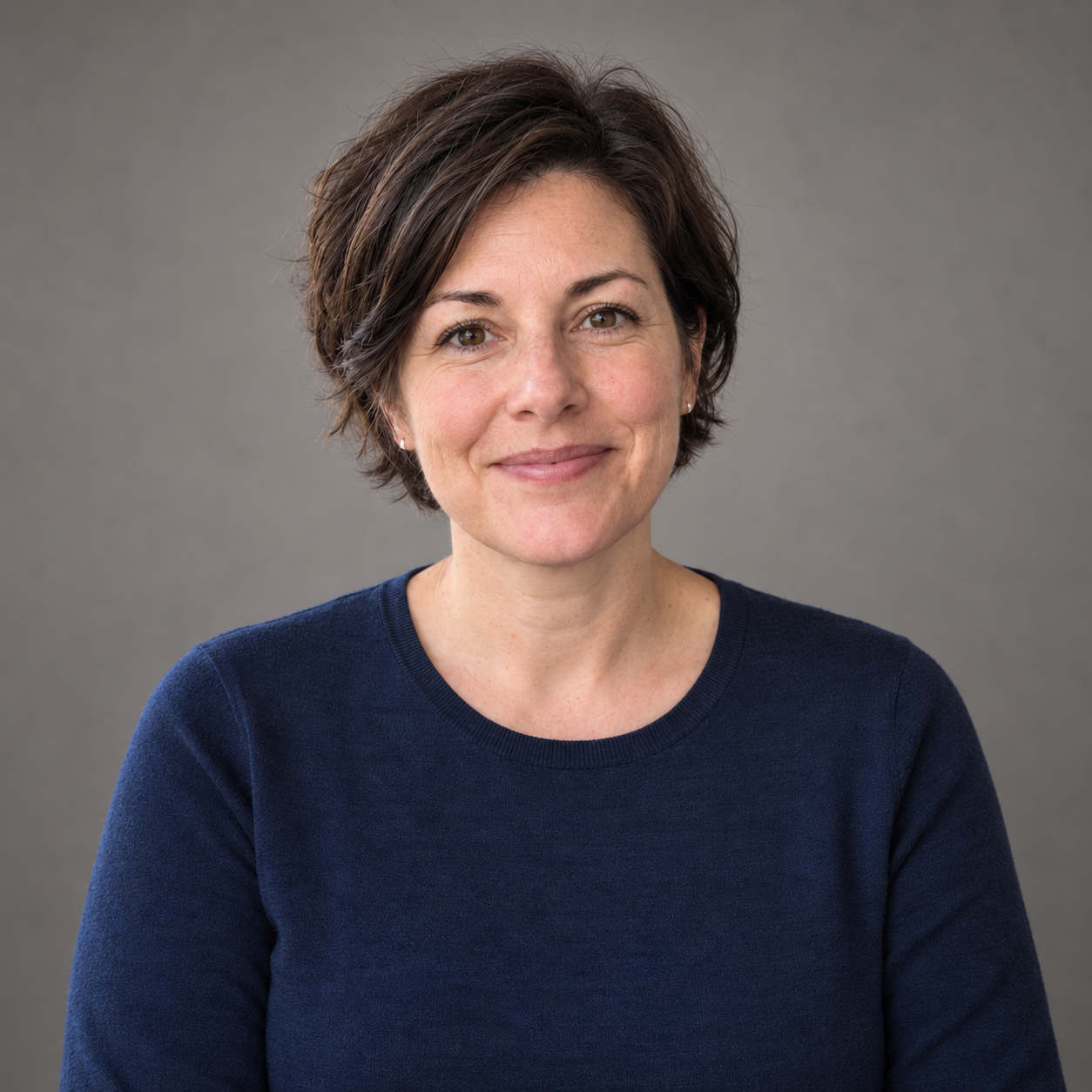
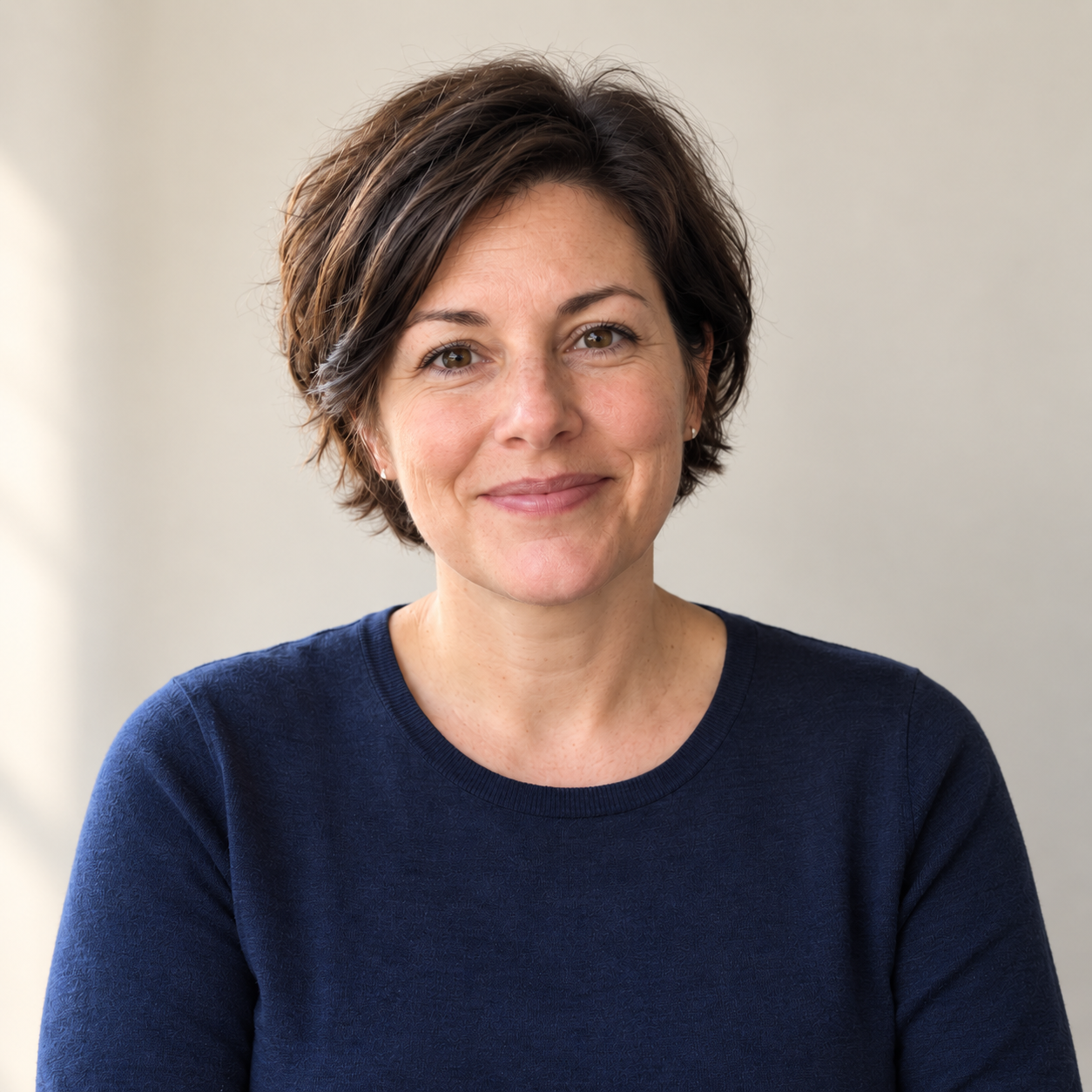
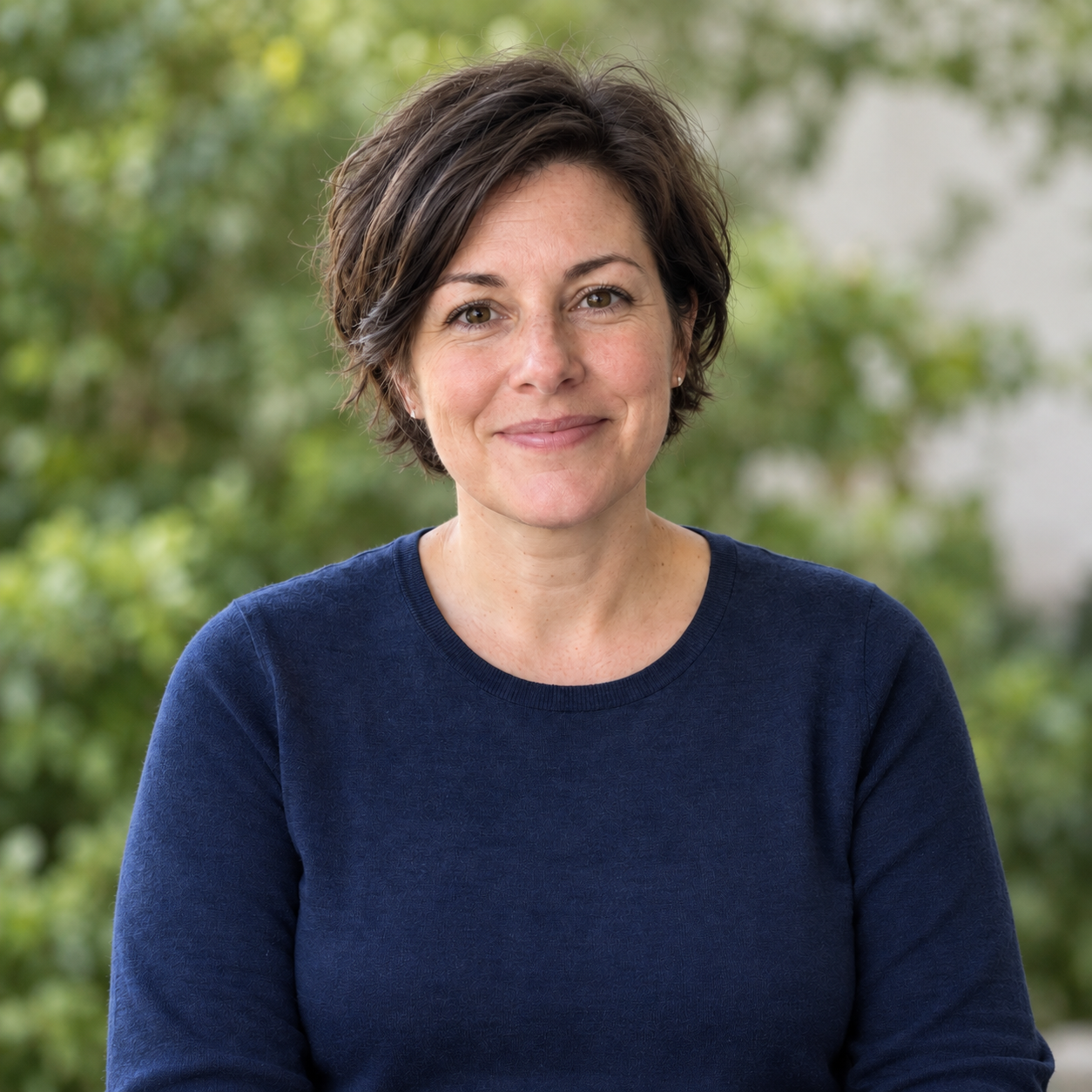
Actual synthetic image edits made on 4 October 2026 with the available image-generation tool. Model version unavailable. These are not ChatGPT interface tests, real-person likeness tests or a multi-person team benchmark. Requested 1024 × 1024; actual files 1254 × 1254.
You can try a new profile-picture background without deciding on an entirely new face. Start with neutral studio, then look at the other styles only if you want a different feel.
What you'll make
one candidate to compare with the original and preview in a small profile circle.
What you'll need
an approved account with image editing available, and a recent photo of yourself or an adult who has agreed to the edit. Follow your organisation’s photo rules. New to uploading a photo? Use the basic headshot guide.
1. Choose one treatment
- Neutral studio: a plain, quiet background. Start here.
- Window light: a lighter wall and softer side lighting.
- Outdoor shade: greenery with more background detail.
You do not have to generate all three. A profile circle is a small place to hold a photoshoot.
2. Start from the original
Upload the original photo in ChatGPT and use one prompt. The exact example prompt below describes our fictional subject. For your own photo, replace the fictional-demo labels and subject description with accurate details; keep the appearance-preservation constraints. Save your adapted prompt with its result.
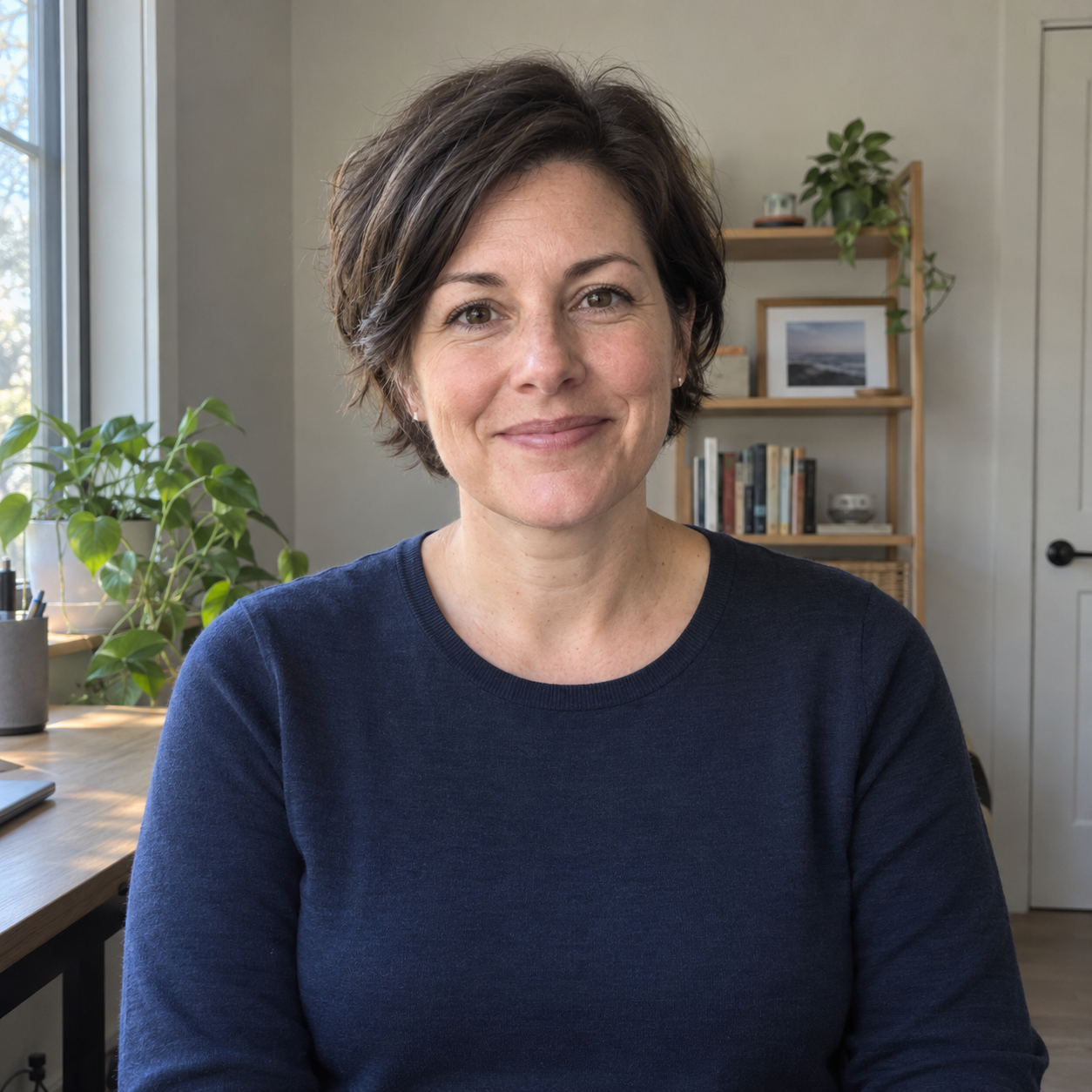
The AI-generated starting portrait. Every displayed edit began from this original.
3. Try neutral studio
Actual generated output; fictional adult. Original PNG retained without retouching.
The result removes the room and retains the navy top and closed-mouth smile. Fine facial detail and knit texture have been redrawn, so compare them carefully.
Exact prompt used for this image:
Edit the attached fictional adult portrait into a natural professional headshot. This is a synthetic demonstration, not a real person's photograph.
Keep the same person's facial proportions, apparent age around 40, eye colour, nose, lips, chin, short dark-brown hairstyle, hairline, small stud earrings and soft closed-mouth smile. Keep the plain navy crew-neck top. Preserve normal skin texture, pores, fine lines, small asymmetries and a few flyaway hairs.
Do not reshape or slim the face, remove age lines, whiten teeth, add makeup, change the clothing or invent accessories. Do not change the pose more than the requested framing requires.
Replace the home-office background with a simple matte warm-grey studio backdrop. Use soft, broad, believable frontal light with a little natural shadow on one side. Keep neutral skin colour and ordinary photographic contrast. The result should feel like a carefully taken everyday business portrait, with no glamour lighting or heavy artificial blur.
Use a square composition, with the full hair and both shoulders included, a little space above the head and the eyes close to the upper third. Keep the camera at eye level. Do not add text, a watermark, a logo, a badge or a prop. Make one finished image, 1024 by 1024 pixels.
4. Check at two sizes
At full size, compare the eyes, nose, jaw, hairline, apparent age, expression and clothing with the original. Reject a changed likeness. At profile size, check that the face is clear and the crop leaves the hair inside the circle.
Keep only a result you are comfortable using. For another attempt, upload the untouched original again rather than editing an already edited face.
Optional style: Window light
The pale wall and side lighting make a lighter image. Facial shading, warmth and clothing texture also changed in this run.
Actual generated output; fictional adult. Original PNG retained without retouching.
Exact prompt used for this image:
Edit the attached fictional adult portrait into a natural professional headshot. This is a synthetic demonstration, not a real person's photograph.
Keep the same person's facial proportions, apparent age around 40, eye colour, nose, lips, chin, short dark-brown hairstyle, hairline, small stud earrings and soft closed-mouth smile. Keep the plain navy crew-neck top. Preserve normal skin texture, pores, fine lines, small asymmetries and a few flyaway hairs.
Do not reshape or slim the face, remove age lines, whiten teeth, add makeup, change the clothing or invent accessories. Do not change the pose more than the requested framing requires.
Replace the visible room with a clean, light warm-neutral wall. Use gentle daylight from a large window on the viewer's left, with a soft natural falloff across the face and a little visible shadow on the other side. The window itself should stay outside the frame. Aim for a relaxed, well-taken portrait near a real window, without a luxury office, theatrical light rays or a beauty-filter finish.
Use a square composition, with the full hair and both shoulders included, a little space above the head and the eyes close to the upper third. Keep the camera at eye level. Do not add text, a watermark, a logo, a badge or a prop. Make one finished image, 1024 by 1024 pixels.
Optional style: Outdoor shade
The greenery creates a busier background. Check the hair edge and small-size crop. This is an invented setting, not a place the subject was photographed.
Actual generated output; fictional adult. Original PNG retained without retouching.
Exact prompt used for this image:
Edit the attached fictional adult portrait into a natural professional headshot. This is a synthetic demonstration, not a real person's photograph.
Keep the same person's facial proportions, apparent age around 40, eye colour, nose, lips, chin, short dark-brown hairstyle, hairline, small stud earrings and soft closed-mouth smile. Keep the plain navy crew-neck top. Preserve normal skin texture, pores, fine lines, small asymmetries and a few flyaway hairs.
Do not reshape or slim the face, remove age lines, whiten teeth, add makeup, change the clothing or invent accessories. Do not change the pose more than the requested framing requires.
Replace the room with a quiet outdoor setting in open shade. Use softly defocused green foliage and a light neutral wall in the distance, with no identifiable location, people, signage or objects. Light the face evenly as if under a tree on an overcast day. Keep natural colours, realistic depth of field and modest photographic contrast. Do not add sunlight patches across the face, extreme bokeh or a lifestyle-advertising pose.
Use a square composition, with the full hair and both shoulders included, a little space above the head and the eyes close to the upper third. Keep the camera at eye level. Do not add text, a watermark, a logo, a badge or a prop. Make one finished image, 1024 by 1024 pixels.
Go deeper
You can stop after the checked result above. Open a lesson below for the fuller method, refinements and checks. These extend the first task; they are not prerequisites.
Optional training: Compare and choose the final profile picture
At full size, compare the source and each result for eyes, nose, jaw, hairline, apparent age, expression, earrings and clothing. Reject a version that feels like a more polished stranger. No style earns permission to change the person.
Then preview each as the small circle or square you actually need. Check that the head remains complete, the face separates from the background and no generated detail becomes more obvious when cropped. Ask someone who knows you whether it looks like you, rather than asking which image looks most impressive.
Keep the chosen style, destination, prompt, original and approved output together. Colleagues can then use one current file instead of collecting competing versions from old slide decks.
Optional training: Understand the changes in this actual run
The three prompts requested 1024 by 1024 pixels. All three returned 1254 by 1254 pixels. The square format was followed; the requested pixel dimensions were not. The generated PNGs shown here have not been retouched after generation.
Fine facial and clothing details differ between the source and outputs. Reusing the exact prompt does not promise an identical result.
If the face keeps drifting, use the original or take a new photograph. A background replacement is not worth losing the reason a headshot exists.
For a website portrait with more room to tell a story, continue to founder and consultant portrait styles.
About these examples
These are actual edits of one fictional adult, generated on 4 October 2026 with the available image-generation tool, not in the ChatGPT interface. The model version was not exposed. They are not a real-person likeness or repeatability test. The examples show styles from this run, not proof of trust, sales or other business results.
All three outputs are 1254 × 1254 pixels, despite the 1024-pixel request. Framing, colour, facial detail and fabric still need checking. The unchanged image record contains the exact prompts, dates, dimensions, hashes and inspection notes.